There are three different things people mean by “Zendesk MCP”. Before comparing the options, it’s worth separating out these different use cases.
1. Use other tools’ MCP servers from inside Zendesk
If you’re building automations inside Zendesk, you may want them to reach out to other systems. For example, an action flow might fetch a task status from Asana, look up an issue in Sentry or update a dispute in Stripe.
This is what Zendesk’s MCP client does.
It connects Zendesk to external MCP servers and makes their tools available to Zendesk action flows. Zendesk says those tools will also become available to AI agents, auto assist and custom agents in future.
The MCP client is currently available through Zendesk’s early access programme.
2. Work with Zendesk tickets from an AI assistant
This is what most people mean when they’re looking for a Zendesk MCP server.
It works in the opposite direction. Instead of Zendesk calling another system, an external assistant such as Claude or ChatGPT can access Zendesk.
Depending on the server, that might let you:
- Find tickets
- Read and summarise conversations
- Search customer history
- Add comments
- Change fields or status
- Analyse themes across a set of tickets
Zendesk announced its own MCP server for this at Relate in May 2026, with early access expected over the summer. However, as of 14 August, we can’t find evidence of even an early access program.
Swifteq and several open-source projects already provide this kind of Zendesk MCP.
3. Analyse Zendesk performance from an AI assistant
There’s a separate problem if what you want from Zendesk isn’t individual tickets, but metrics.
Questions like:
- Why did our first reply time increase last month?
- Which groups are missing their SLA most often?
- How has CSAT changed since last quarter?
- What’s our median resolution time by channel?
require more than access to ticket records.
Ticket-focused MCPs can retrieve the underlying data and Claude or ChatGPT can attempt to calculate the answer itself, and this can work for very simple questions and small datasets.
However, for more complicated metrics, this quickly breaks down. The model will try to retrieve the right records, work out the correct definition of the metric and perform the calculation itself.
This is slow, hammers the Zendesk API, and the model will often make bad assumptions or simply make things up.
The dangerous part is that you won’t necessarily know when this has happened. A hallucinated metric can look just as convincing as a correct one.
That’s very different from connecting the assistant to a reporting system that has already defined and calculated the metric.
This is what Geckoboard’s Zendesk MCP is designed for.
Does Zendesk have an MCP server?
Not the general-purpose one most people are looking for.
There are currently three separate Zendesk MCP products or initiatives:
| What it does | Status, 14 August 2026 | |
|---|---|---|
| MCP client | Lets Zendesk action flows use tools from external MCP servers | General release |
| MCP server for ChatGPT support | Lets customers get support from your Zendesk Help Center inside ChatGPT | Early access |
| General-purpose MCP server | Would let external AI systems access Zendesk tickets, knowledge and other data | Announced, but we can’t find evidence it has been released |
Zendesk announced the general-purpose MCP server at Relate in May. Its announcement said it would connect Zendesk tickets, knowledge and customer data to external AI systems, with early access expected that summer.
As of 14 August 2026, Zendesk’s current list of early access programmes does not include the MCP server. We also can’t find a public endpoint or setup documentation for it in Zendesk’s developer documentation.
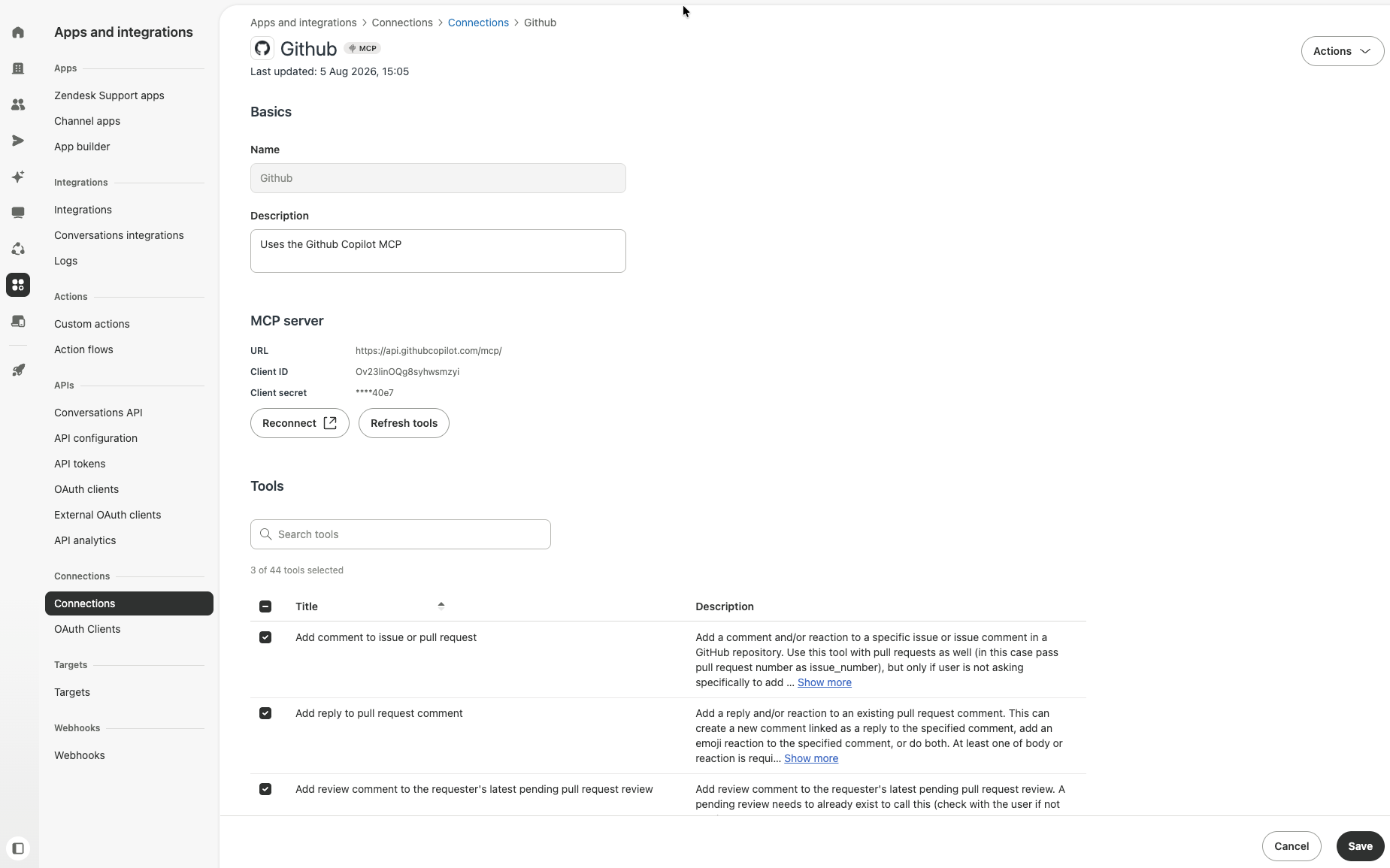
So if what you want is to connect Claude, ChatGPT or Cursor to your Zendesk account today, you’ll need to use a third-party or community MCP server.
There is one extra source of confusion here though. Zendesk does already operate an MCP server as part of its ChatGPT customer support channel EAP. This lets businesses serve customers inside ChatGPT using their Help Center content and Zendesk business processes.
That’s an MCP server, but it isn’t a general-purpose endpoint for asking your own AI assistant to work with your Zendesk account.
Tickets and metrics are different problems
Before comparing the third-party options, there’s an important distinction to make.
Most Zendesk MCP servers expose records and actions.
Give an assistant access to the right tools and it can retrieve a ticket, read its comments, look up the customer and perhaps update the ticket afterwards. This is exactly what you want for a question like:
Summarise ticket #12345 and tell me what we need to do next.
Analytics is different.
Take a question like:
What’s our median first reply time by support group for the last quarter?
First reply time isn’t simply a field that can be read from each ticket and returned. The assistant needs the right underlying data, the right definition of the metric and the complete set of relevant records. It then needs to group them correctly and calculate the median.
For a handful of tickets, that’s manageable.
Across tens or hundreds of thousands of tickets, it isn’t. The assistant may need to make repeated API calls and process a huge amount of data just to answer one question.
There are then two ways it can go wrong.
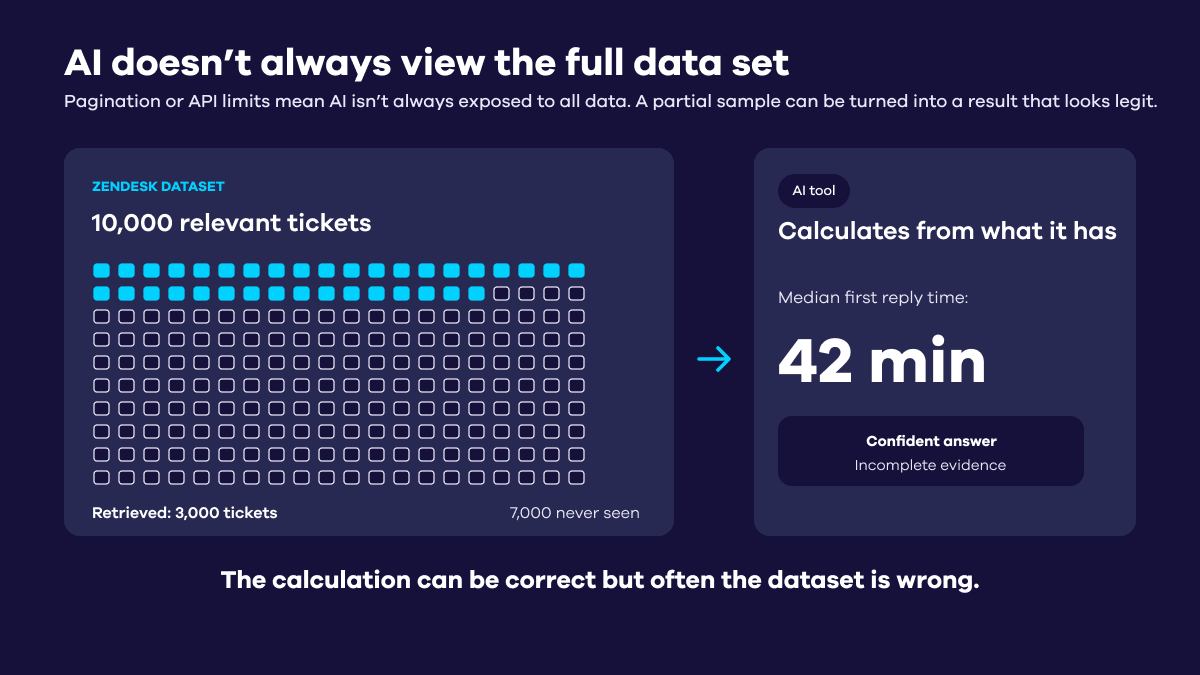
The first is incomplete data. The assistant retrieves the first few hundred or thousand records and calculates an answer from those, without realising it hasn’t seen the whole dataset.
The second is hallucination. If the records don’t contain everything required to calculate the metric, or the business logic isn’t explicit, the model may fill in the gaps itself. It can assume what counts as a first reply, how an SLA should be evaluated or which tickets should be excluded.
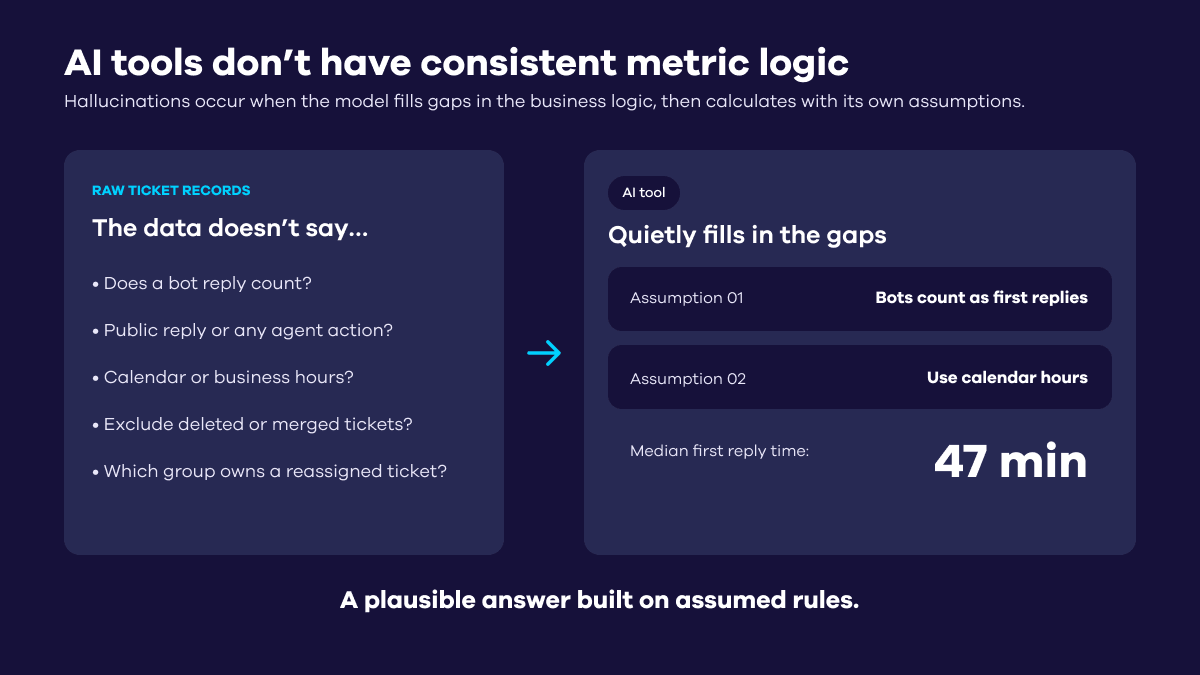
Neither failure necessarily looks like a failure. You can get a precise, confident answer that is simply wrong.
This isn’t really what LLMs are good at. They’re very good at reasoning over information they’re given. They’re much less useful as an improvised analytics engine responsible for fetching a large dataset, reconstructing metric definitions and doing all the arithmetic itself.
That’s why it helps to think of ticket MCPs and metrics MCPs as different tools.
One gives the assistant access to the underlying operational records. The other gives it metrics that have already been defined and calculated, leaving Claude or ChatGPT to do the part it’s actually good at: analysing them.
Swifteq’s MCP Server for Zendesk
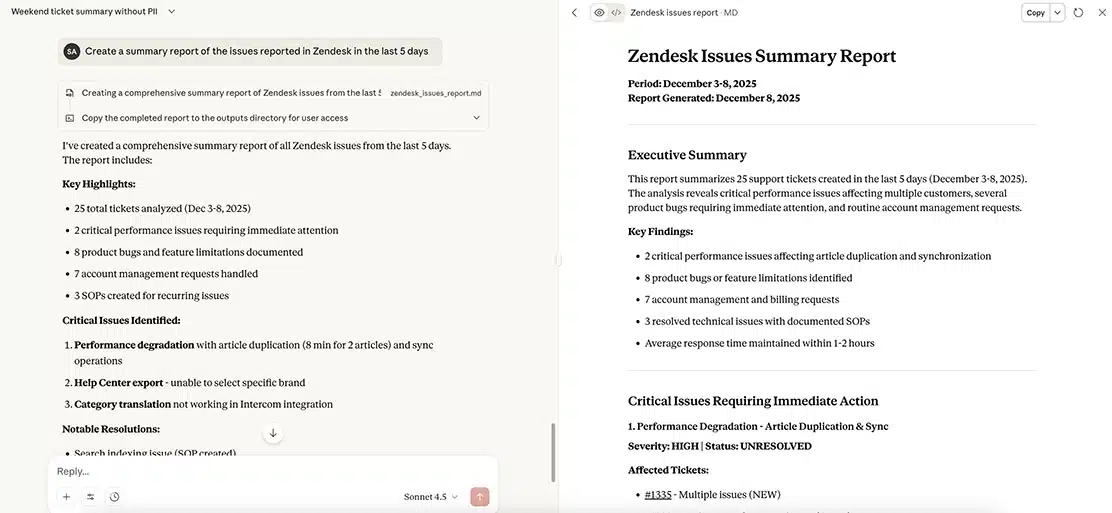
Best for: working with ticket content from Claude, ChatGPT and other AI assistants.
Swifteq’s MCP Server for Zendesk connects Zendesk Support to MCP-compatible assistants including Claude, ChatGPT and Cursor.
It uses OAuth to access Zendesk and retrieves ticket information on demand. Swifteq says ticket content and metadata pass through its server only for the duration of the request and aren’t stored or logged.
Swifteq positions the server for tasks including:
- Summarising ticket conversations
- Analysing customer feedback
- Finding patterns across tickets
- Tagging and classification
- Generating reports from ticket data
It’s free to use, and Swifteq is a Zendesk technology partner with an app listed on the Zendesk Marketplace.
The main thing to understand is that Swifteq gives the assistant access to ticket data rather than a pre-calculated reporting layer.
That’s ideal when the ticket itself is what you want to work with. It can also be used to analyse trends and generate reports, which Swifteq explicitly promotes as a use case.
For more complex metric questions, however, the assistant still has to retrieve the relevant records and work out the answer from them. We’d therefore think of Swifteq primarily as a ticket-level MCP rather than a replacement for a Zendesk reporting system.
Geckoboard’s Zendesk MCP
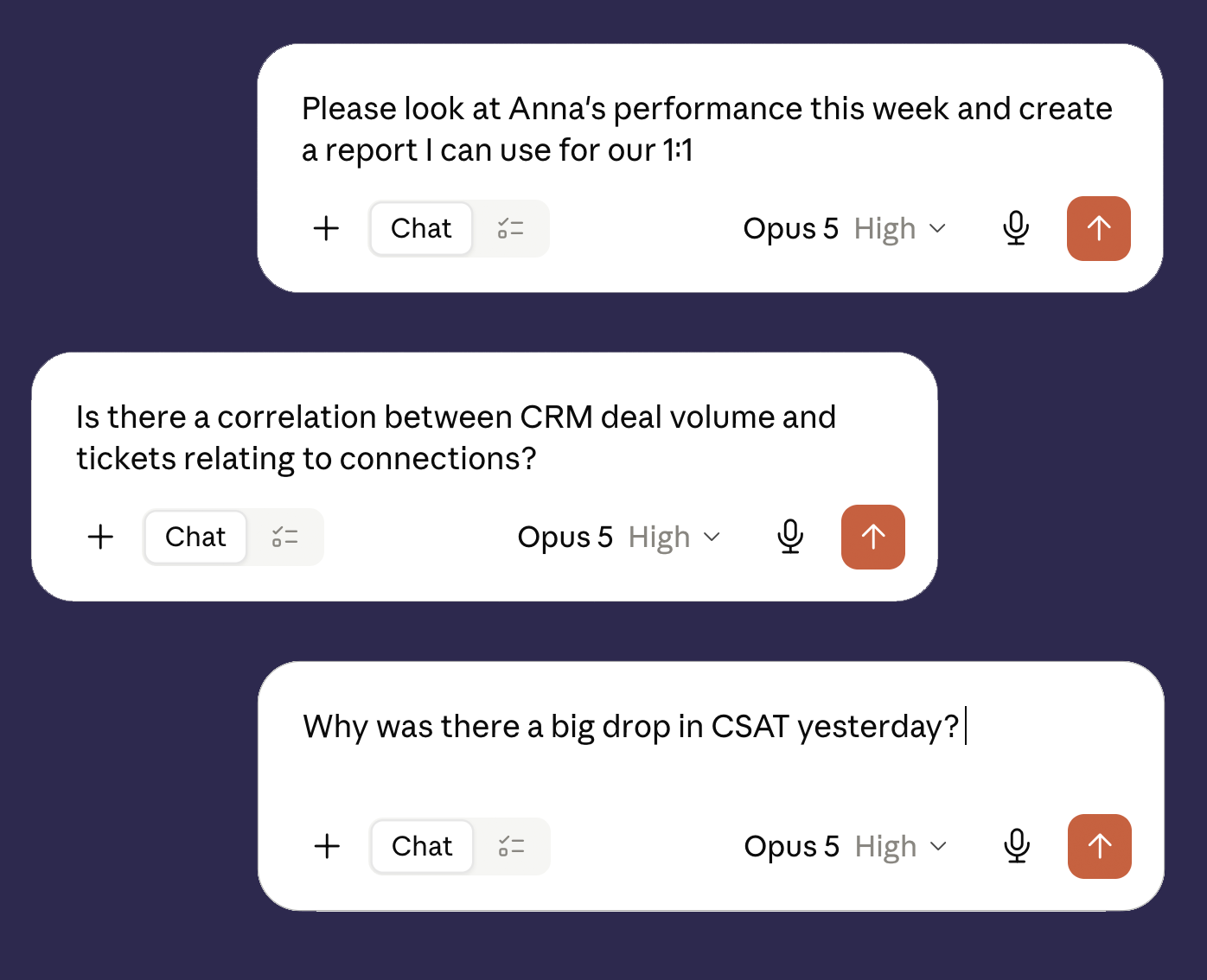
Best for: support metrics, trend analysis, recurring reporting and building tools on consistent numbers.
Geckoboard’s Zendesk MCP takes a different approach.
Instead of giving the assistant raw ticket records, it gives it access to pre-calculated Zendesk metrics.
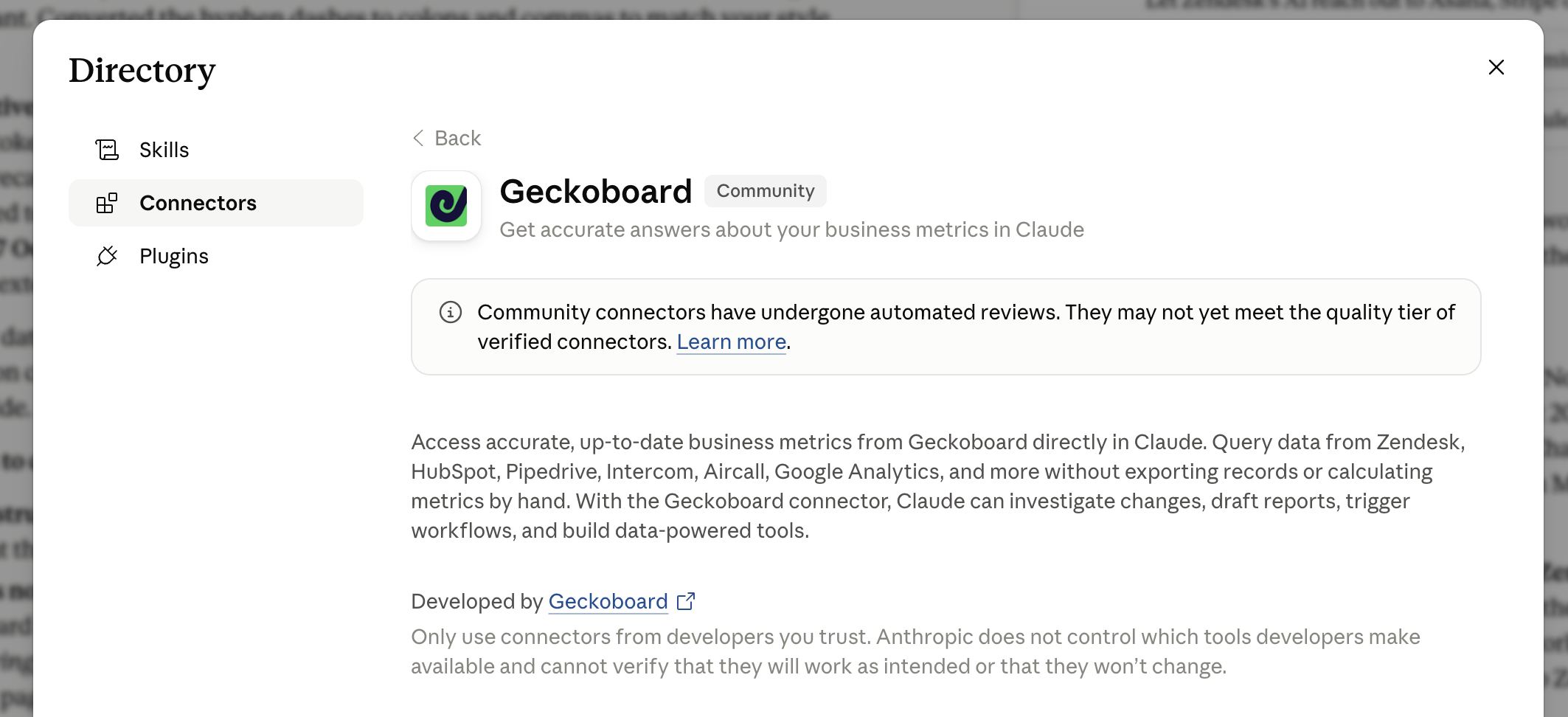
Geckoboard connects to Zendesk Support and calculates more than 50 support metrics. Those metrics can then be queried from Claude, ChatGPT and other MCP-compatible tools.
So instead of pulling thousands of tickets into a conversation to answer:
What’s our median first reply time by queue for the last quarter?
the assistant asks Geckoboard for the metric and gets back the calculated result.
The metric definition doesn’t change depending on how the assistant interprets the question, and answering it doesn’t require the assistant to paginate through Zendesk tickets at query time.
It also removes an important source of hallucination. Claude or ChatGPT isn’t being asked to invent the metric definition or reconstruct the calculation. It gets the number from Geckoboard and can concentrate on analysing what it means.
That makes it particularly useful for investigations.
For example:
Investigating a change. Ask why a metric moved, compare it with a previous period, then break the change down by channel, group or agent.
Recurring reporting. Generate the numbers for a weekly support review or Monday meeting without assembling them manually each time.
Cross-source questions. Geckoboard’s MCP also provides metrics from other data sources including HubSpot, Pipedrive, Intercom, Aircall, Google Analytics, Google Ads and Google Search Console, so an analysis can span more than Zendesk.
Building your own tools. Use the same metric definitions in internal apps, custom dashboards and AI agents.
“The MCP server is a brilliant added value to my team and my overall analysis, it gives me a great overview, especially on annual reports and trends.” Orad Vinograd, Support Director at Driivz
There is an intentional limitation: Geckoboard doesn’t return ticket content and can’t change anything in Zendesk. The MCP is read-only and stops at the metrics layer.
This means Geckoboard isn’t really a competitor to a ticket-level server like Swifteq, or to Zendesk’s own MCP server when it arrives.
They solve different problems. Geckoboard provides the metrics; a ticket-level MCP provides ticket content and actions. You can use both.
The DIY route
Best for: teams that want to control the tool surface themselves and don’t mind hosting and maintaining a server.
There are also a growing number of open-source Zendesk MCP servers.
For example, mattcoatsworth/zendesk-mcp-server covers Zendesk Support, Talk, Chat and Guide, with tools for tickets, users, organisations, groups, macros, views, triggers and more.
The advantage is obvious: you can host the server yourself, inspect the code and change exactly which tools you expose.
The trade-off is that you’re responsible for deployment, authentication, security and maintenance.
Authentication is particularly worth checking before adopting one.
Several community servers use a Zendesk API token together with a subdomain and agent email. If you put a single shared MCP server in front of multiple people, you need to be particularly careful about what Zendesk access that effectively gives them.
There is also a more immediate reason to avoid building a new integration around API tokens: Zendesk is retiring them.
The process started on 28 July 2026, when unused tokens began automatically deactivating and newly created Zendesk accounts lost the ability to use them.
From 27 October 2026, existing accounts will no longer be able to create new API tokens.
On 30 April 2027, all remaining API tokens will stop working permanently.
Zendesk recommends migrating API integrations to OAuth.
So if you’re choosing an open-source Zendesk MCP today, check its authentication model as carefully as its list of tools.
Why can’t I just calculate Zendesk metrics from ticket data?
For simple questions, you can.
The problem starts when a metric requires a specific definition, information that isn’t directly available on the ticket, or a large dataset.
Metrics such as median first reply time, resolution time and SLA attainment need the correct underlying data and calculation. Claude or ChatGPT has to retrieve enough records to produce a complete result and then reconstruct that calculation itself.
If it doesn’t have enough data, it may calculate the answer from an incomplete sample. If it doesn’t know exactly how the metric should be defined, it may make an assumption or hallucinate the missing logic.
The particularly nasty thing about this failure mode is that the resulting number can still look completely credible.
A metrics layer does that work in advance. It gives the assistant a defined, calculated metric and lets the LLM do what it’s much better at: compare it, investigate it and explain what changed.

