There are few things more frustrating for RevOps and sales leaders than poor-quality CRM data and deals that haven’t been updated properly.
What makes it especially annoying is that it’s not a problem you can fix once. It needs active maintenance. Without it, standards slip. There’s an entropy to it.
It’s also extremely common. We’ve had it in our own small sales team. There are countless Reddit threads on the subject. And it comes up in almost every conversation we have with sales leaders.
There’s a temptation to dismiss it as admin. A bit of housekeeping. Not a serious business problem. But the cost is real. By one estimate, bad CRM data drains roughly 12% of a company's annual revenue.
The damage shows up in three places:
Forecasts become unreliable. Close dates aren’t updated. Stale deals stay open. Amounts are guessed at. Stages stop reflecting reality.
Deal health becomes impossible to read. A sales leader should be able to open a deal in HubSpot or Salesforce and understand where it stands. When activity isn’t logged, that’s no longer possible. It limits your ability to coach, intervene, and spot risk early.
Time gets wasted. Leaders end up micromanaging reps, chasing updates, and using pipeline reviews to extract basic information that should already be in the CRM.
If you’re spending $200+ per seat on HubSpot, or you’ve recently been through a painful CRM migration, clean data isn’t a nice-to-have. You’re paying for a system of record. It should actually be a record.
The issues fall into two camps
- Data not being logged properly. Missing or blank properties, meetings that never got recorded, calls that didn't sync, associations that were never made. The information exists in someone's head or inbox, but not in the CRM.
- Deals not being worked properly. A new lead left to go cold. Stale deals sitting untouched for weeks. Deals with no next task or next step set. Here, the data problem is really a symptom of an activity problem.
The first is about capture. The second is about behaviour. Most teams have both.
Why it keeps happening
If the fix were simple, every CRM would be pristine. It isn’t.
There are a couple of structural reasons:
It's tedious. Even in a world of AI and automation, plenty of manual updating remains. And the automations you do have will break. A sync gets disconnected. A tool stops talking to HubSpot. An association doesn’t get made automatically.
Maintenance is constant. It’s not a one-time setup.
Reps don't feel the pain directly. Each rep usually has a decent mental handle on their own pipeline, so messy data doesn’t always slow them down day to day.
The pain lands on leadership, RevOps, and finance — the people relying on the data, but not usually the people entering it.
That misalignment is why the problem never quite goes away on its own.
What helps (but isn't enough on its own)
There are sensible things you can do to reduce the problem. None of them eliminates it, because hygiene always drifts without active management. But they do lower the baseline:
Workflows. Use HubSpot workflows to enforce structure: require key properties before a deal advances, auto-create follow-up tasks, flag deals with no activity, and rotate or reassign ageing leads.
Automations. Reduce the manual burden at source. For example, use Fathom, Gong, or HubSpot’s own tools to automatically sync call recordings and notes so reps don’t have to log everything by hand.
Pipeline reviews and 1:1s. A regular cadence catches issues, but it’s reactive. It also puts the leader back in the role of nag, which is exactly what everyone is trying to avoid.
The trouble with all of these is that they either require ongoing enforcement, or they turn CRM hygiene into yet another thing managers have to chase.
A better lever: the hygiene dashboard
At Geckoboard, we’re increasingly seeing customers take a different approach: building what they half-jokingly call a “hygiene dashboard” or a “don’t-be-on-it dashboard”.
The idea is simple.
You publicly display a dashboard showing the deals that are stale or missing key information, along with who owns them.
That's the whole mechanism.
No one wants their name next to a neglected deal on a screen, or piping into Slack each morning for the whole team to see.
It works because it flips the incentive.
Instead of leadership chasing reps for updates, the dashboard makes hygiene visible and self-correcting. Reps fix their own data because they’d rather not appear on the list. Crucially, they fix it before the pipeline review, not during it.
The social signal does the work that micromanaging used to.
No one enjoys policing this stuff. A dashboard means you mostly don’t have to.
One of our customers, Jason Rainbird, got so fed up with stale deals that one Saturday he quietly added a hygiene view to the team's main TV dashboard — the one everyone walks past every morning.
By Monday, reps had noticed. The transformation was almost immediate, and he never had to send a single reminder.
What to put on a CRM hygiene dashboard
A CRM hygiene dashboard is a shared view that surfaces stale or incomplete deals alongside their owners.
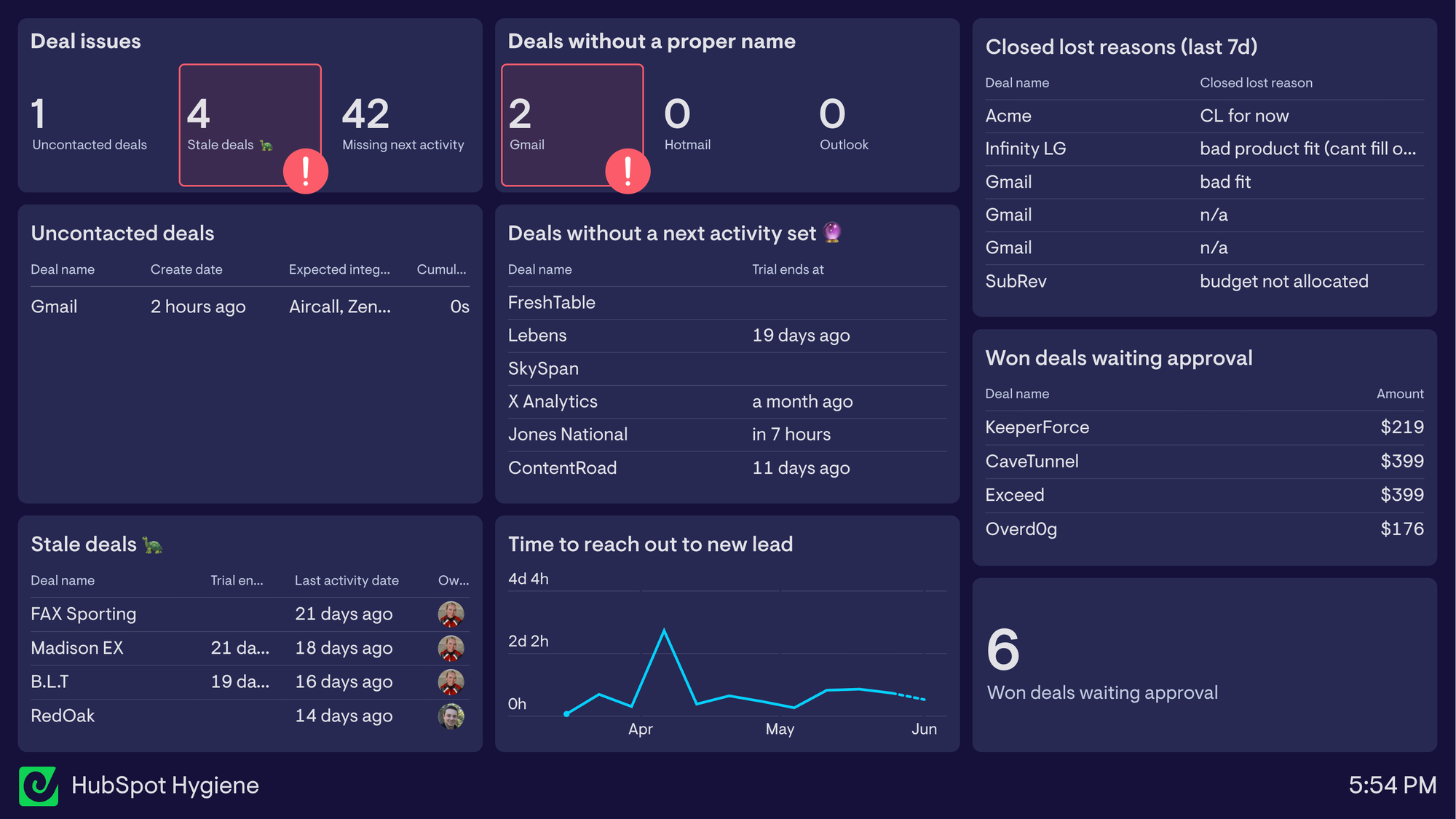
These are some of the metrics we’ve seen customers use to drive change:
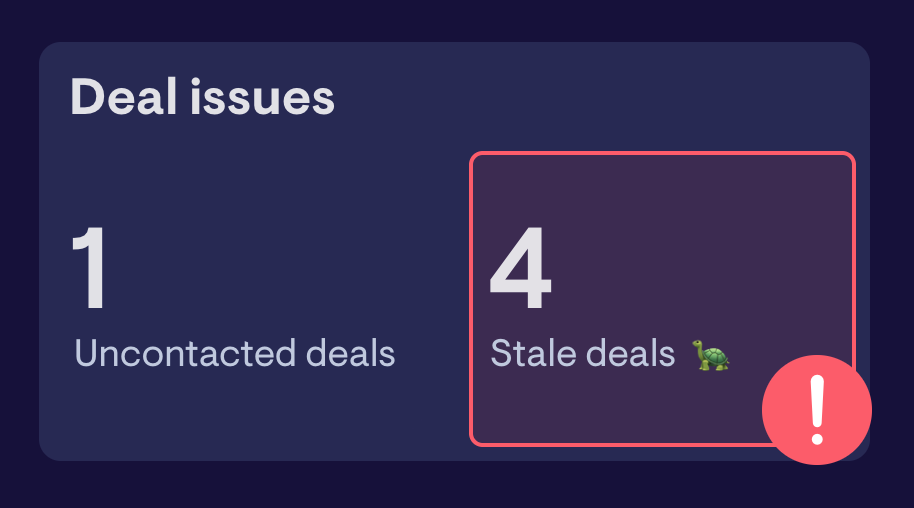
- Stale deals — open deals with no activity in X days, grouped by owner
- Deals with no next task or next step — the clearest sign a deal is drifting
- New leads not yet actioned — leads sitting past your response-time SLA
- Deals missing key properties — blank amount, close date, or stage-required fields
- Deals with a close date in the past — still open but overdue
- Overdue tasks — follow-ups that have slipped past their due date
- Deals stuck in a stage too long — stage age vs. expected time-in-stage
- Deals with no contact associated
- Deals in late stages with no amount set
The key is to focus on your main problem areas, and use our powerful HubSpot integration to build the exact metrics and filters you care about.
It's important the dashboard updates instantly when someone fixes the issue so they get the dopamine hit, and off the naughty list ASAP. Being able to click through from the dashboard to the deal directly is also important for saving time and clearing through issues.
Generally it's better to pick the few you really care about than to track everything. Three or four that everyone understands, with owner names attached, is what changes behaviour.
Frequently asked questions
What is pipeline hygiene?
Pipeline hygiene is the ongoing practice of keeping every open deal in your CRM accurate and current — a real next step, a real close date, and a stage that actually reflects where the deal is. It's the input; pipeline health (velocity, win rates) is the output. If the hygiene is bad, every number downstream is suspect.
What's the difference between CRM data hygiene and a one-off cleanup?
A cleanup is a project — you fix the mess that's already there. Hygiene is the system that stops it building back up. You need both: a cleanup resets the baseline, hygiene keeps it from drifting week to week. Most teams treat it as a project and then wonder why the same problems return a quarter later. That's the entropy we talked about.
What causes dirty CRM data?
Two things, mostly. Capture — data never logged because manual entry is tedious or a sync quietly broke. And behaviour — deals not being worked, so there's nothing accurate to log in the first place. Underneath both is an incentive gap: the reps entering the data don't feel the pain of bad data, while leadership, RevOps, and finance do.
How often should you clean your CRM?
Treat it as continuous rather than periodic. A light weekly pass on the deals that matter most, a monthly check for duplicates and missing fields, and a deeper quarterly review is a sensible rhythm for most B2B teams. A visible hygiene dashboard makes the weekly pass mostly self-correcting, because reps fix their own data before anyone has to ask.
What should go on a HubSpot hygiene dashboard?
Start with stale deals (no activity in X days), deals with no next step, new leads past your response SLA, and deals missing key fields like amount or close date. Pick the three or four that map to your biggest problem, attach owner names, and put it somewhere the whole team sees it. More metrics than that and it gets ignored.
The takeaway
Clean CRM data isn't really a tooling problem — it's a feedback problem. Workflows and automations lower the effort required, but the reason hygiene slips is that the people entering data don't feel the consequences of bad data. A visible, owner-attributed hygiene dashboard closes that gap. It makes the cost of messy data land where the data is created, and it does so without anyone having to play enforcer.
If your forecasts feel like guesswork and your pipeline reviews are really data-cleanup sessions in disguise, that's the problem worth solving first.
