If you’re weighing up whether to build your own KPI dashboard or buy one, the decision probably feels more complicated than it did a few years ago.
Modern APIs are easier to work with. Charting libraries are more prolific and fancier. AI tools can generate working dashboards in minutes. On the surface, the case for building dashboards from scratch has never looked stronger.
In practice, the trade-offs have not changed as much as the tools have.
Dashboards still need reliable data, careful permissions, ongoing iteration, and support when things break. Those requirements tend to show up later, once a dashboard starts to matter.
This post looks at what building and buying actually involve today, including how AI changes the picture, and where it does not.
TL;DR: should you build, buy, or vibe-code a dashboard?
- Buy dashboard software if you need reliable internal dashboards quickly, with strong security, permissions, and support.
- Build custom dashboards from scratch if analytics are customer-facing, deeply bespoke, or part of your core product.
- Vibe-code with AI if you’re prototyping ideas, but be cautious about running AI-built dashboards in production.
Build vs buy vs vibe-code at a glance
| Factor | Buy dashboard software | Build from scratch | Vibe-code with AI |
|---|---|---|---|
| Time to first dashboard | Very fast (minutes-hours) | Slow (weeks-months) | Fast (hours) |
| Ongoing maintenance | Minimal | High | High |
| API & data complexity | Managed for you | Your responsibility | Your responsibility |
| Data accuracy & trust | Built in | Must be designed | Often fragile |
| Security & permissions | Built in | Must be built | High risk if mishandled |
| Support & iteration | Included | Internal only | Ad hoc |
| Best for | Internal KPIs, exec views, TVs | Embedded / customer-facing dashboards | Prototypes & experiments |
Pros of building a dashboard from scratch
Building dashboards yourself gives you full control.
You decide how metrics are calculated, how data is modeled, and how people interact with it. That level of control is hard to match with off-the-shelf tools.
This approach tends to work best when dashboards are customer-facing or embedded into a product. In those cases, analytics are not just reporting. They are part of the experience you’re selling.
If dashboards reflect proprietary logic or form part of your competitive advantage, building can be the right choice. The extra effort is deliberate, not accidental.
Where building starts to become expensive
The difficulty with building dashboards rarely lies in getting the first version working.
The real cost shows up over time.
Most teams underestimate how long builds take. They also underestimate how much effort goes into maintaining something that depends on external systems.
A fully loaded developer or engineering manager can easily cost more than a thousand dollars per day. And that figure does not include the opportunity cost of the work they are not doing while maintaining dashboards.
Even a modest setup can add up quickly. A few days to build. Hosting and tooling costs. A day each month to keep things up to date. Extra time when requirements change or something breaks.
Teams usually underestimate:
- the time required to maintain dashboards
- the cost of handling API changes and limits
- the effort involved in managing permissions and security
- the opportunity cost of pulling engineers away from product work
Over a year, that can far exceed the cost of dedicated dashboard software (to give you a rough idea, our real-time dashboard software starts around $75/month), often with fewer features and no support.
Why APIs are only the starting point
One of the biggest misconceptions about dashboard building is assuming the APIs you’re pulling data from provide ready-to-use metrics. We’ve found this to be the case in almost every integration we’ve built.
Most APIs provide access to raw data, which often arrives in fragments. It may be paginated. Schemas can be inconsistent. Edge cases are common, and they change over time. A lot of the time they won’t return historical data, and there are often rate limits that restrict how frequently data can be pulled or pushed. Timezones add yet another layer of complexity.
The point is - turning that raw data into something you and your team can trust means handling filtering, aggregation, backfills, and vendor-specific behavior. It also means revisiting that logic as and when APIs evolve.
This work is easy to overlook because it is invisible when everything runs smoothly.
At Geckoboard, a large part of our engineering effort has gone into this exact problem. We estimate over 250,000 hours over the past 15 years we’ve been in business(!).
So take it from us; building and maintaining integrations is ongoing work, not a one-off task.
Security and permissions are not optional details
Dashboards need access to important systems. Support tools, CRMs, financial data, and internal databases are all common sources.
The usual approach is via an API, which without careful handling, can introduce risk.
API keys can be exposed. Permissions can be broader than intended. Write access can be granted by mistake. Audit trails are often missing entirely.
These issues rarely surface during early experiments and dashboard prototyping. They tend to appear once dashboards are shared more widely or relied on for decisions - or worse - later on when a breach occurs.
Buying dashboard software does not remove responsibility for security, but it does provide constraints out-of-the-box that are difficult to reproduce reliably when building a custom setup.
Custom dashboards do not always require custom builds
Many teams assume that needing a custom dashboard means they need to build one themselves.
In most internal use cases, 'custom' actually means something simpler.
Choosing the right KPIs, combining data from multiple tools, adjusting filters. Creating different views for different audiences without managers needing to touch any code.
Modern KPI dashboard software is designed to support this kind of flexibility. It allows teams to tailor dashboards without rebuilding infrastructure or permissions from scratch.
If you find yourself recreating connectors, access controls, or basic visualizations, it is usually a sign that rolling your own dashboard is doing more work than necessary.
What AI and vibe coding changes, and what it does not
It’s 2026, and it’s no secret that AI tools like Lovable, Claude and Cursor have reduced the time it takes to create even moderately complex apps.
They are particularly useful for exploration. You can prototype layouts, test metrics, and answer “what if” questions quickly. That speed is valuable.
But this approach does not remove the long-term responsibilities of running dashboards. API changes still happen. Data still needs validation. Permissions still matter. Iteration still takes time.
AI-generated dashboards often struggle once requirements change or multiple people need to make updates. Small adjustments can turn into code changes and redeployments, which slows things down.
Used carefully, AI can be a strong way to explore ideas. It is less reliable as a foundation for production dashboards.
Dashboards are an ongoing process
At the risk of stating the obvious, dashboards are rarely ‘finished’.
Teams refine metrics as they learn more, projects change or new hires join. They change filters and adjust time ranges. They test different ways of presenting information to see what’s most engaging.
Good dashboard tools make this kind of iteration easy. You can see the data before committing to a layout and adjust things in seconds.
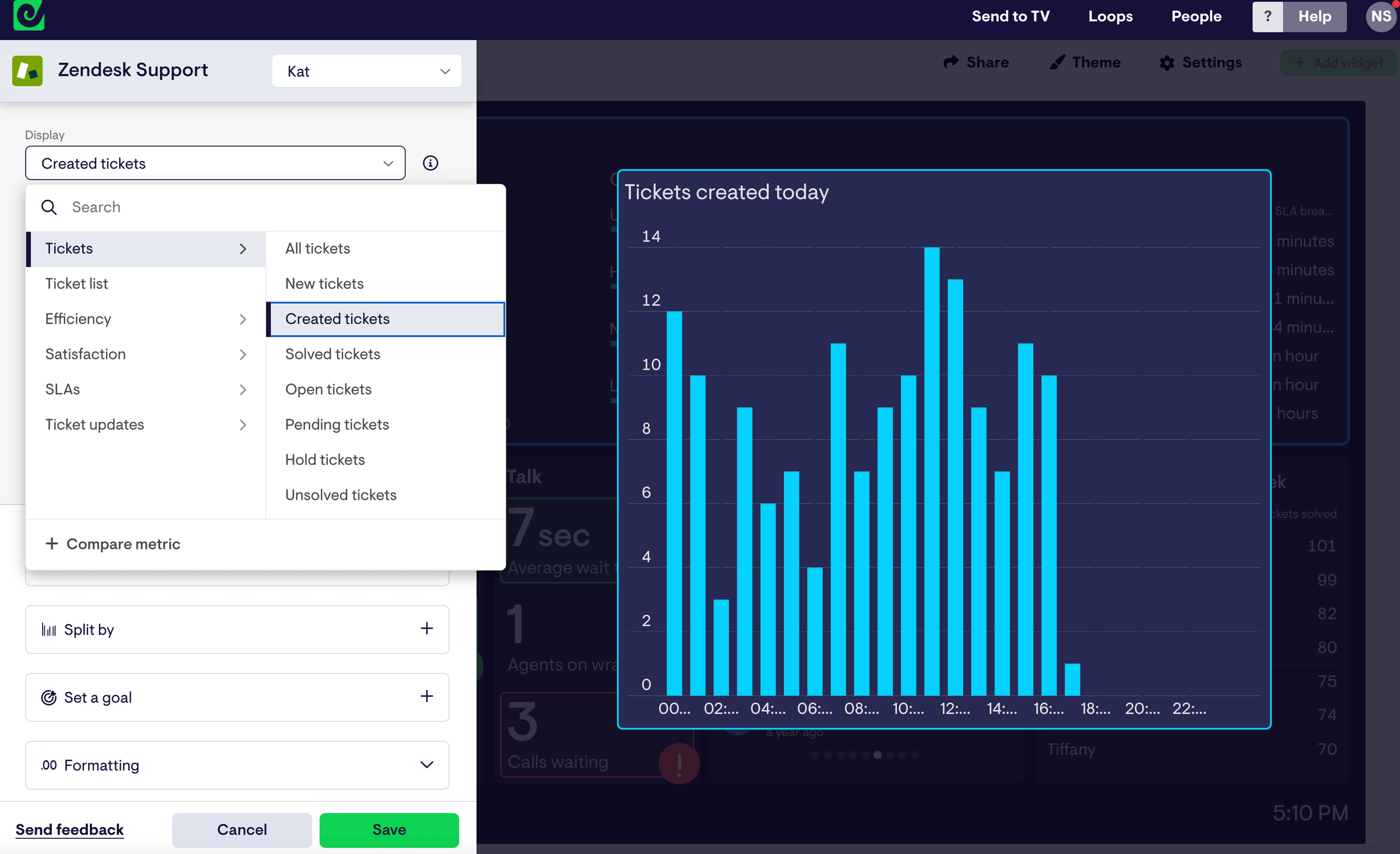
Custom builds tend to make iteration slower, especially once change requests flow across different teams. Over time, that adds friction, administrative overhead, and stale dashboards can quickly drift into irrelevance.
Choosing the right approach
For most teams, buying dashboard software is the most practical option for internal reporting. It reduces risk, lowers maintenance costs, and supports ongoing iteration.
Building makes sense when dashboards are part of your product or rely on logic that cannot be replicated elsewhere.
AI is a useful addition to the toolkit, particularly for exploration. It does not remove the need for structure, security, or long-term ownership.
The right choice depends on what the dashboard needs to do and how long you expect it to last.
Frequently asked questions
Should we build or buy a KPI dashboard?
For internal dashboards, buying is usually the better default. Building is more appropriate when dashboards are customer-facing or central to your product.
Is it cheaper to build a dashboard than buy software?
It can look cheaper initially. Once you factor in maintenance, iteration, and opportunity cost, buying is often more economical. Dashboard software that lets you create custom dashboards for different use cases and teams can cost well under $100 per month.
Can AI replace dashboard software?
AI is useful for prototyping and exploration. It does not replace the need for reliable data handling, permissions, and ongoing support.
When does it make sense to build dashboards in-house?
Building tends to make sense when dashboards are embedded into a product or rely on proprietary logic that cannot be handled by existing tools.
Why do dashboards require ongoing work?
Metrics change, APIs evolve, and teams ask new questions. Dashboards that remain useful are refined over time, not treated as one-off deliverables.
Originally posted August 2021
Updated January 2026

