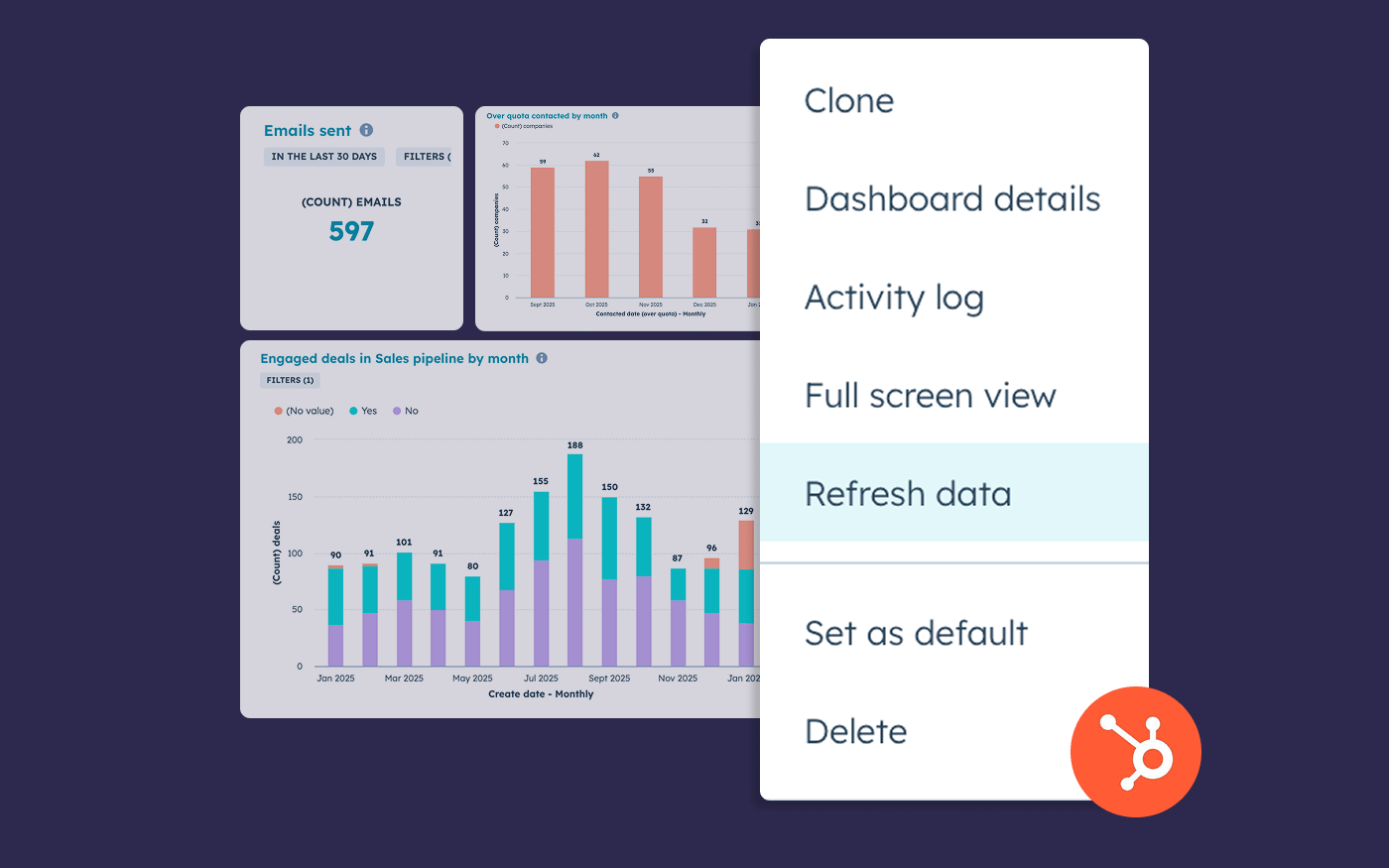
If you’re here because you’ve got a fast-moving sales floor (or a support queue), and HubSpot dashboards aren’t keeping up… you’re not alone.
HubSpot dashboards refresh, but not in real time - here’s what’s possible, and how to get a faster live view.
HubSpot is brilliant for logging and managing the work. But when you’re trying to run the work - monitor sales pipeline movement and activity volume, or ticket queues and SLA pressure in customer service - refresh rates start to really matter.
Not in a theoretical way. In the very practical “why is this number still wrong?” way.
Let’s get specific about what HubSpot does today, what you can (and can’t) change, and how teams get a more real-time view of HubSpot data when the default reporting cadence is too slow.
Can HubSpot dashboards auto-refresh in real time?
Not really - and it depends what you mean by “auto-refresh.”
HubSpot dashboards do refresh, but the dashboard refresh rate in HubSpot varies:
- Analytics-based dashboard/report data typically updates ~every 40 minutes (page views, sessions, form activity, email stats, etc.). (knowledge.hubspot.com)
- Custom Report Builder reports refresh automatically every 2 hours. (knowledge.hubspot.com)
- You can manually refresh a report or dashboard once every 15 minutes to pull new data sooner. (knowledge.hubspot.com)
- And for some reporting scenarios, new data can take 15 minutes to show up in reports even when the CRM record itself has updated. (knowledge.hubspot.com)
So if the question on your mind is: “Can I make HubSpot dashboards update continuously like a live ops screen?” - HubSpot isn’t built for that today.
That’s exactly why this topic keeps coming up in the HubSpot community. (community.hubspot.com)
Refreshing HubSpot dashboards: your options
If you’re staying inside HubSpot, the practical options are:
1) Refresh all reports on a dashboard
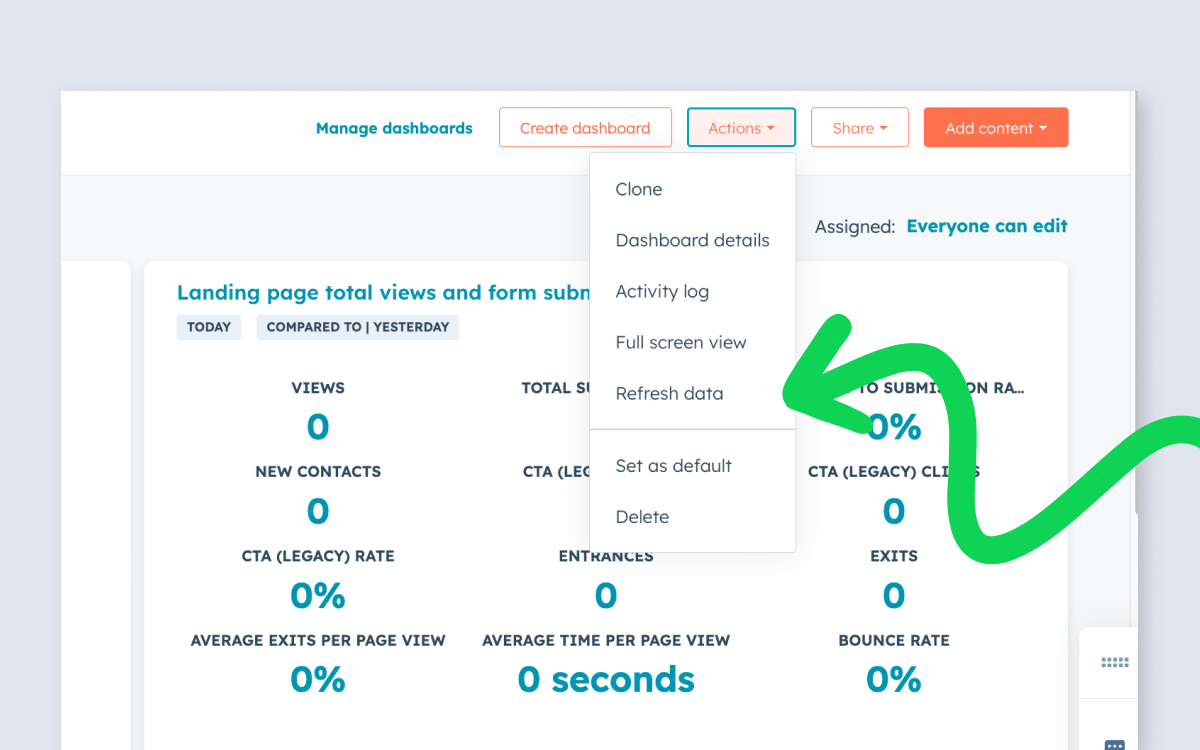
HubSpot lets you refresh the data on a dashboard via the dashboard Actions menu (with the 15-minute manual refresh limit). (knowledge.hubspot.com)
2) Refresh a single report
You can refresh an individual report from the report’s actions menu. (knowledge.hubspot.com)
3) Accept that “fast enough” depends on the report type
HubSpot’s own documentation is pretty clear that update frequency varies by dataset, and custom reports have their own cadence. (knowledge.hubspot.com)
This is fine if you’re doing end-of-day review, weekly ops reporting, or pipeline inspection in a 1:1.
But this starts to hurt when you’re using dashboards for in-the-moment management.
Where slow HubSpot refresh rates cause problems
In practice, teams usually notice refresh lag in three places:
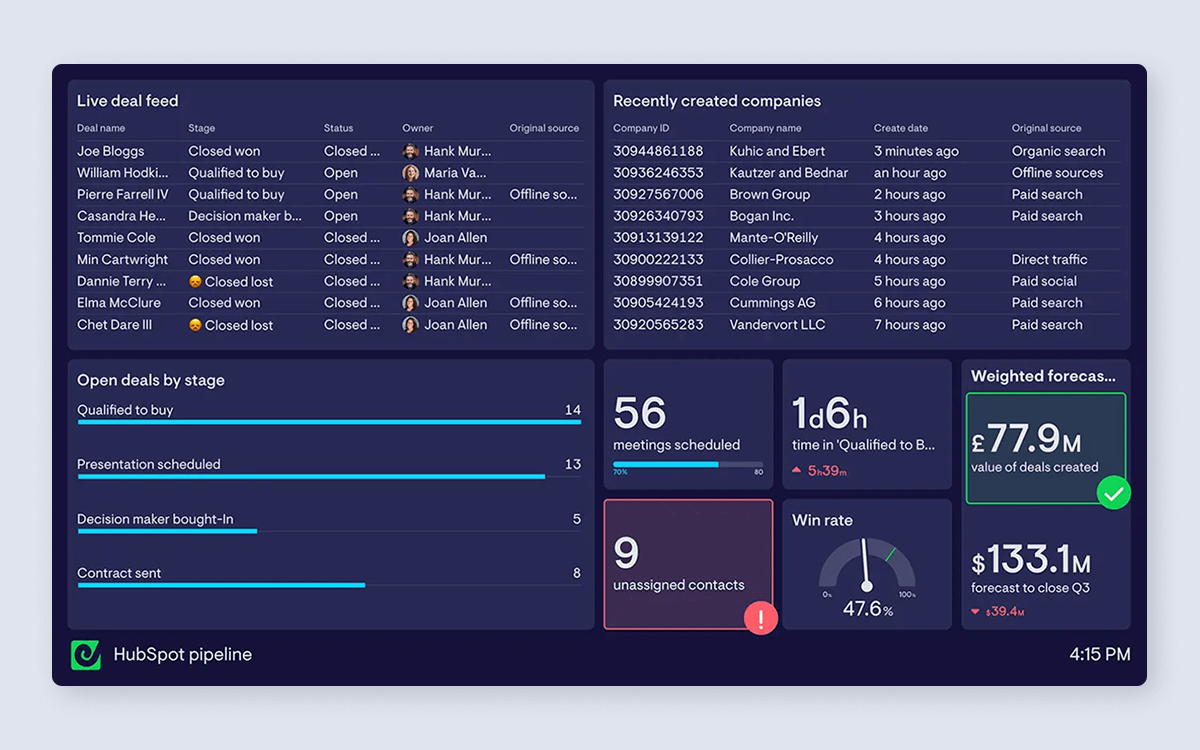
1) Pipeline movement and deal hygiene (Sales Hub)
If you’re trying to run a tight pipeline, you’re watching things like:
- Deals created today (is the top of funnel alive?)
- Deals moving stages (are we progressing or stalling?)
- Amount in key stages (are we building enough coverage?)
- Next steps and activities logged (are reps doing the work?)
When those numbers lag, you lose the feedback loop between actions and outcomes. Reps stop trusting the dashboard, and managers revert to clicking around in records.
2) Activity and coverage (Sales Hub)
Activity dashboards are only useful if they’re current. If the “calls today” or “tasks completed” numbers are stale, you get the worst combo:
- the team doesn’t believe the data
- but the number is still visible enough to be distracting
3) Ticket queues and SLA pressure (Service Hub)
Support ops is even more sensitive to time. If you’re watching:
- open tickets by status
- backlog by channel
- breaches / time-to-first-response
- tickets per agent
…you’re trying to spot issues before customers feel them.
If your dashboard updates slowly, you’re spotting problems too late.
Why HubSpot dashboards aren’t designed for real-time ops
This isn’t a knock on HubSpot, it’s just a product boundary.
HubSpot dashboards are great for reporting and analysis. But live operational visibility is a slightly different job:
- you want dashboards to stay current without someone hitting refresh
- you want them to be visible to the team (not tucked behind logins), and look great when displayed on office TVs
- you often want HubSpot data next to other “in the moment” systems (calls, chat, spreadsheets, etc.)
That’s where teams typically start looking beyond native dashboards.
A faster way to monitor HubSpot data in near real time
If you need a dashboard that behaves more like a live monitor, Geckoboard (our dashboard software) is built for that.
How “real-time” is Geckoboard’s HubSpot integration?
Geckoboard’s HubSpot widgets refresh either instantly or within 10 minutes, depending on what’s changing in HubSpot. 10 minutes is the standard refresh rate, but many of the updates teams care about most for day-to-day management happen in real time. (support.geckoboard.com)
Instant (real-time) updates include:
- Creating, deleting, merging, or restoring HubSpot objects (like deals, tickets, contacts, and activities)
- Changes to key built-in properties such as deal stage, deal amount, pipeline, and owner, plus core ticket stage/priority fields
Everything else - including custom properties - refreshes automatically within 10 minutes, so your dashboards stay current without anyone needing to babysit the refresh.
And you’re not limited to HubSpot data
Most teams don’t run their day just from one system.
Geckoboard connects with 90+ data sources, so you can put HubSpot data next to data from the other tools your team runs on, including Google Sheets and Excel, and phone platforms like Aircall.
And if you’re already using spreadsheets as a “glue layer” for your KPI tracking, it helps to know Google Sheets data also refreshes in Geckoboard within a few minutes when connected via Google Drive.
Why TV dashboards solve the real-time reporting gap
If you’re really asking “how do I stop babysitting refresh?”, this is usually the answer.
If someone searches “auto-refresh HubSpot dashboards,” they’re usually thinking:
“I want to see up-to-date numbers without having to do anything”
That’s basically the TV dashboard use case - even if you never planned to put a dashboard on a TV.
A TV dashboard (wallboard / status board) is designed to:
- sit in a shared space
- be readable at a distance
- update automatically and regularly
- create a faster feedback loop for teams
If you’re managing a sales team or support queue, this is where dashboards become operational, not just informational.
Geckoboard’s TV dashboards are designed for exactly that kind of “always-on” visibility.

What to put on a real-time HubSpot dashboard
You don’t need to recreate your entire HubSpot reporting suite. Start with the handful of metrics you and your team would actually check repeatedly during the day.
For Sales Managers (HubSpot Sales Hub)
A solid “live” sales dashboard usually includes:
- Deals created today / this week
- Deals moved stage today
- Amount in key stages (with a simple target line)
- Activity today (calls, emails, meetings)
- Next-step hygiene (e.g. deals with no next activity)
If you want inspiration, here are real HubSpot sales dashboard examples built in Geckoboard.
For Support / Service Managers (HubSpot Service Hub)
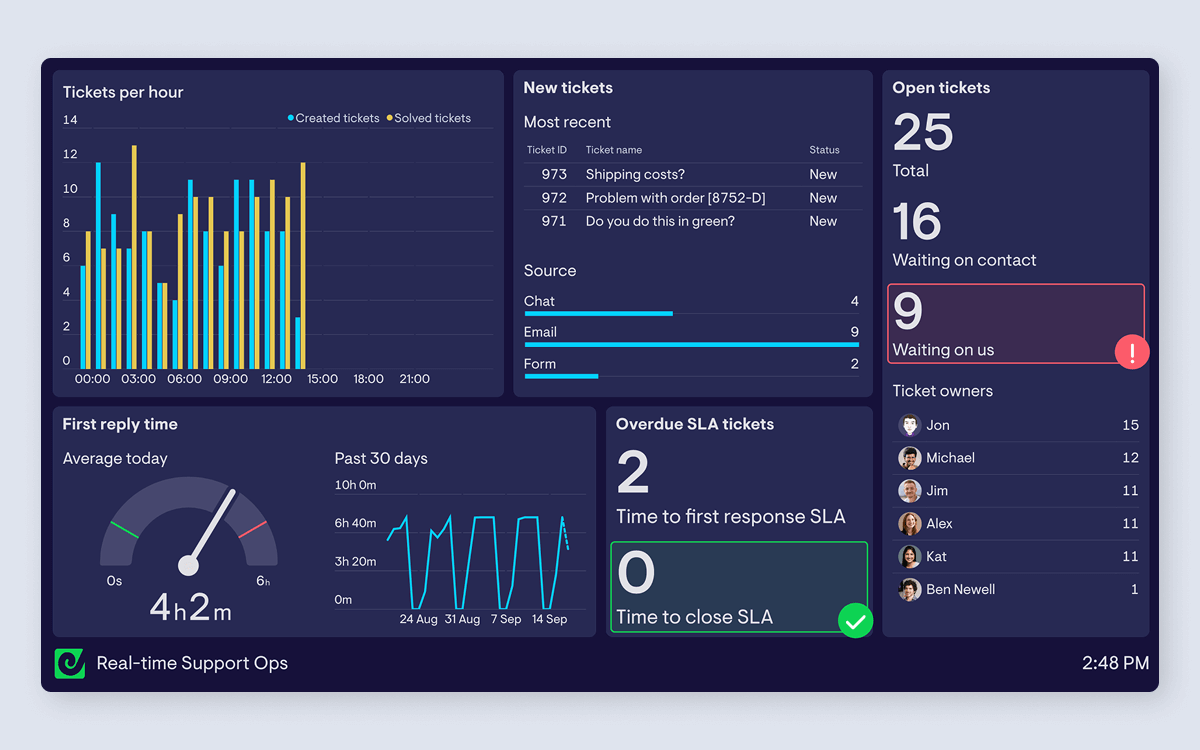
A useful Service Hub ops dashboard tends to include:
- New vs open tickets (trend + current)
- Tickets by status / priority
- SLA breaches or “at risk”
- Workload per agent
- Response times
Here are example HubSpot Service Hub dashboards with that structure.
When to use HubSpot’s own dashboards vs Geckoboard
Here’s the decision we see in the wild:
Stay in HubSpot if…
- you’re mostly reviewing performance (daily/weekly)
- you can tolerate reporting lag
- dashboards are primarily for managers, not shared operational visibility
Use Geckoboard if…
- you’re monitoring live work in Sales Hub or Service Hub
- you need the data to update without manual refresh
- you want to share the same view with the team or the rest of the business (especially on TV)
- you need to see HubSpot data alongside data from other systems
It’s not that one is “better.” They’re built for slightly different jobs.
Getting started
If you want to try the “faster dashboard” approach:
- Use Geckoboard's HubSpot integration to pull data into Geckoboard (direct connection, no code).
- Start with building one simple dashboard: either Sales pipeline monitoring or Support queue monitoring.
- Put it somewhere people will actually see it: a shared link, a Slack channel, or a TV screen.
FAQ
Can I auto-refresh HubSpot dashboards more often than every 15 minutes?
HubSpot allows manual refresh once every 15 minutes for reports/dashboards, and Custom Report Builder reports refresh automatically every two hours. (knowledge.hubspot.com)
How often does HubSpot update report data?
It depends on the data. HubSpot states many analytics-based metrics update about every 40 minutes, social interactions within five minutes, and Custom Report Builder reports every two hours (with manual refresh available every 15 minutes). (knowledge.hubspot.com)
Why did my deal/ticket update in HubSpot, but not in my report yet?
HubSpot notes that new data can take 10–15 minutes to appear in reports, and refresh cycles depend on the report type. (knowledge.hubspot.com)
How fast does Geckoboard refresh HubSpot data?
Geckoboard's HubSpot dashboards update in real time for key changes - including when records are created, deleted, merged, or restored. Many important built-in fields (like Deal stage and Ticket pipeline stage) also update in real time. Everything else (including custom properties) updates within 10 minutes. (support.geckoboard.com)
Can I display HubSpot dashboards on a TV?
Yes — and if your goal is “always-on, automatically updating visibility,” that’s exactly what TV dashboards are for. (geckoboard.com)
