Shopify dashboard examples
A Shopify dashboard brings your store's key metrics together in one live view — including data from the other tools you use alongside Shopify, like ad platforms and email. For teams managing multiple stores, it's the only way to keep track without switching between accounts.
Shopify Dashboard
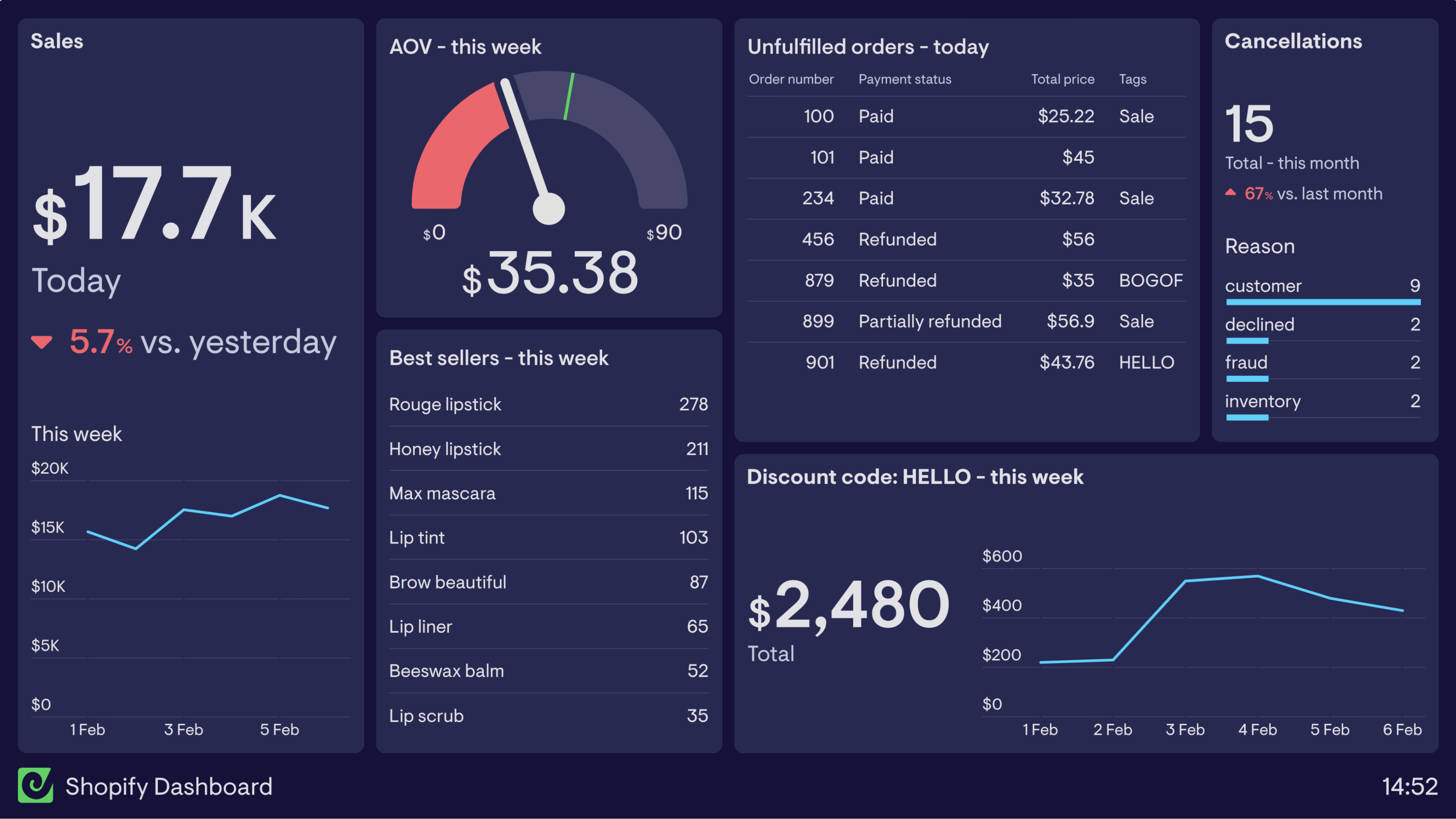
This dashboard brings key data from a Shopify store together into one place. It gives the store owner an overview of sales, best selling products, Average Order Value and even breaks out sales around a specific discount code.
To help stay on top of potential issues, this dashboard also includes details of the unfulfilled orders from today alongside cancellations broken down into categories.
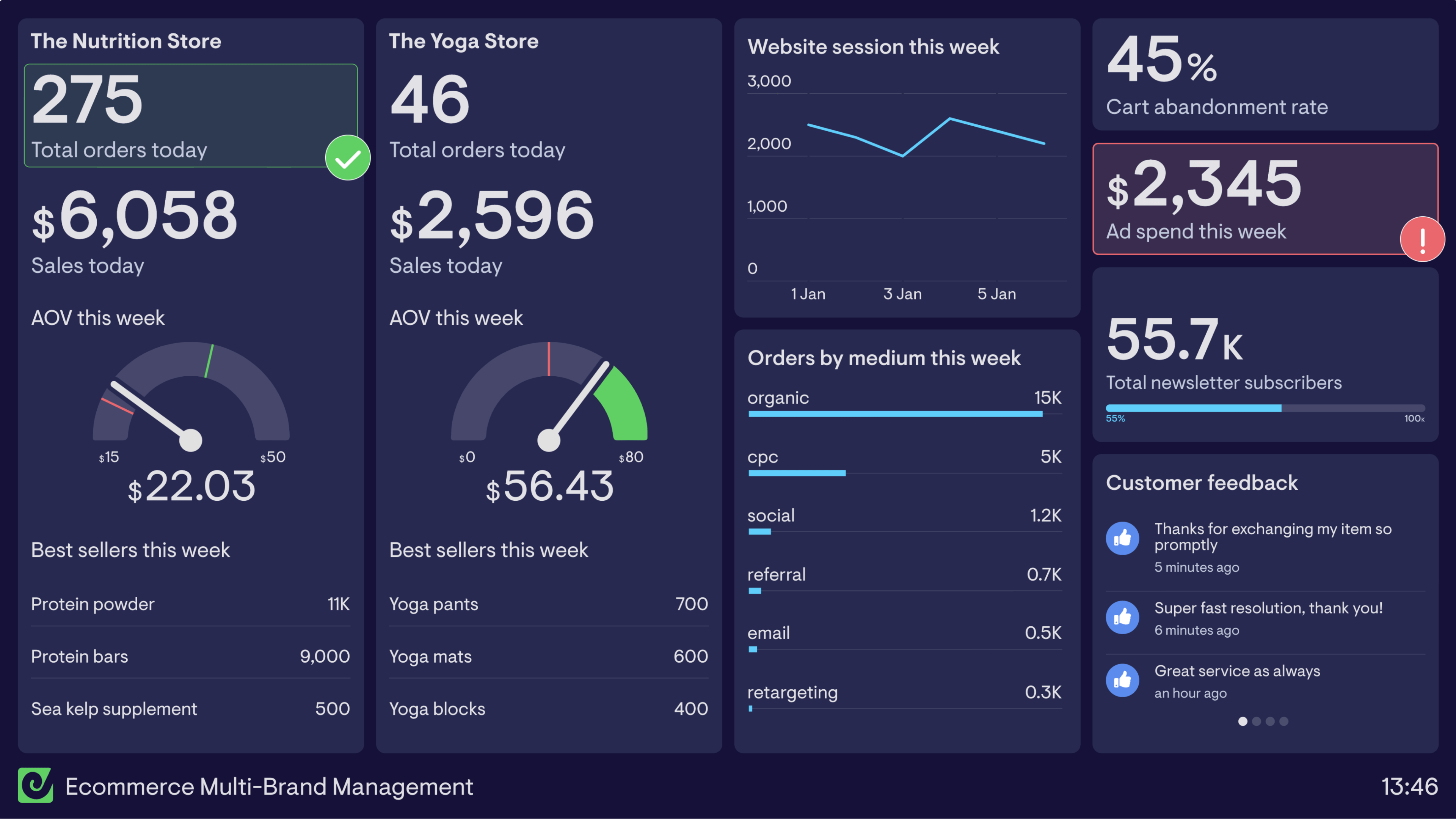
Multiple stores dashboard
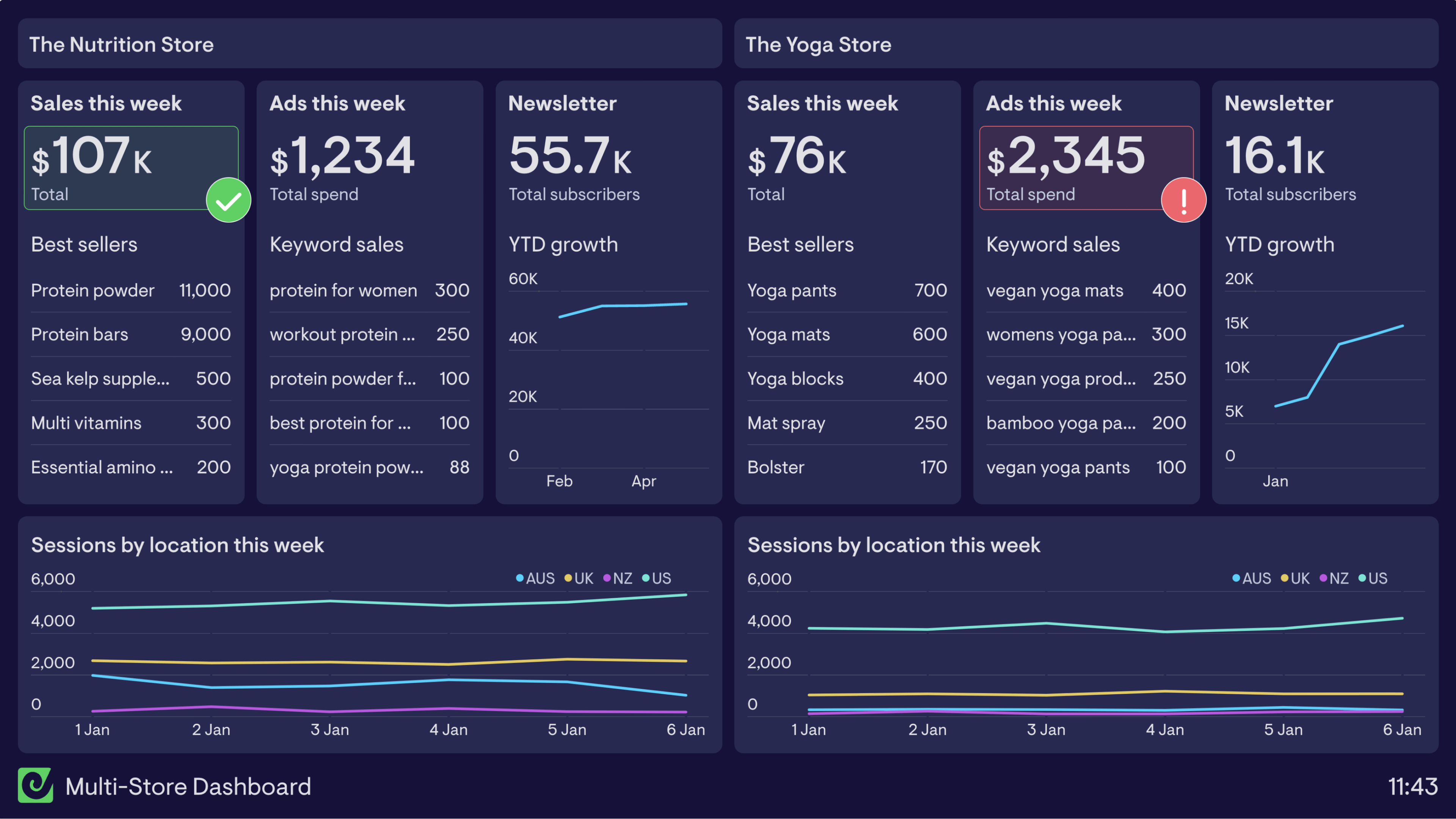
There are many businesses who run multiple Shopify stores and need an overview of how each website is performing. This dashboard brings key data from two different stores together into one place to allow the team to view key data in one place, rather than having to switch between stores and reports within Shopify.
Using a combination of data from Shopify , Google Ads , Google Analytics and Mailchimp the team are able to get a real-time overview of how two stores are performing.
Shopify and Facebook Ads dashboard
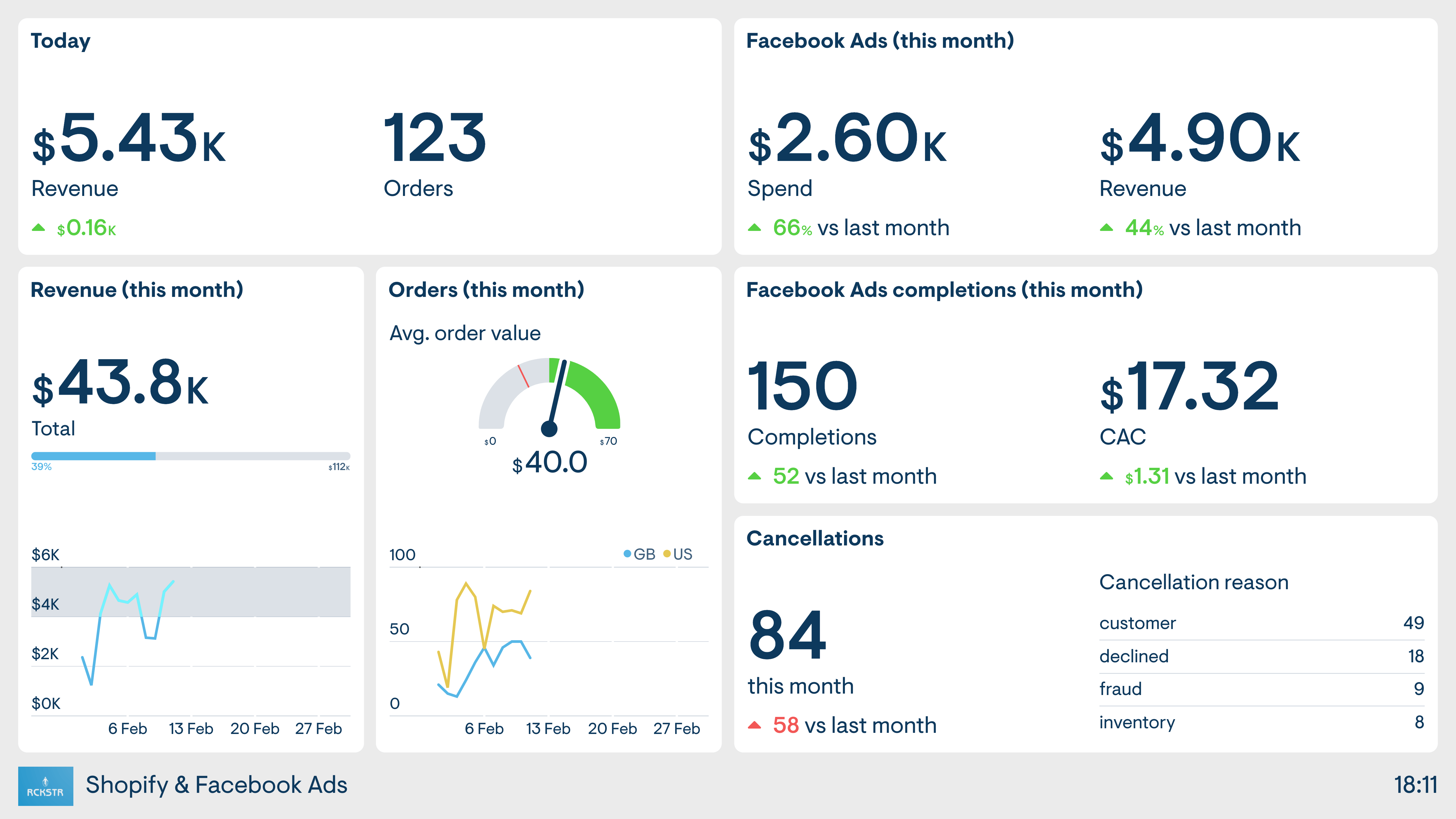
This seller’s ecommerce business has a strong focus on Facebook Ads, as the driver of new sales. This dashboard takes data from both the online store (Shopify) as well as Facebook, so the seller has a clear view of the performance of both platforms.
Browse other popular examples
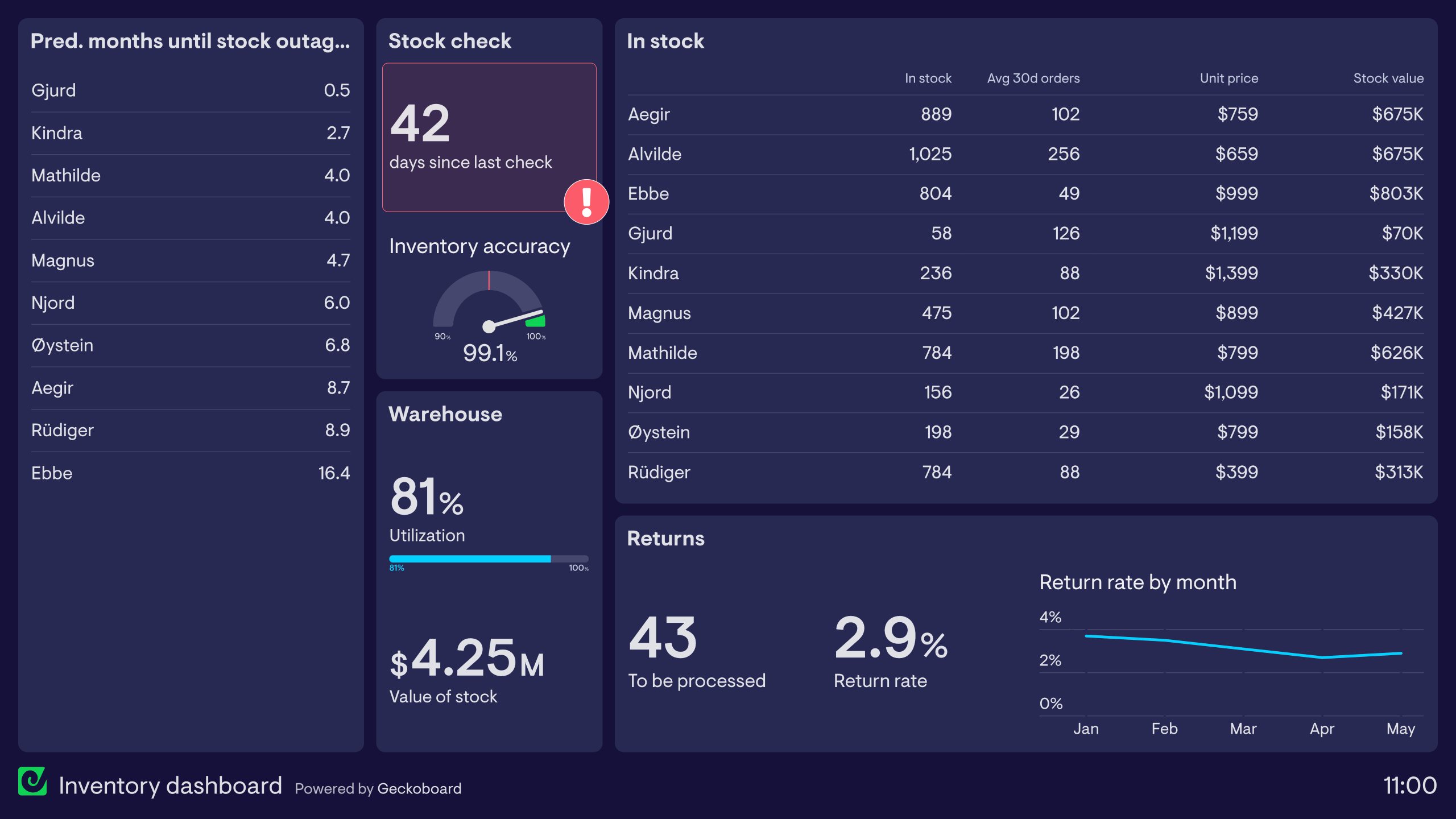
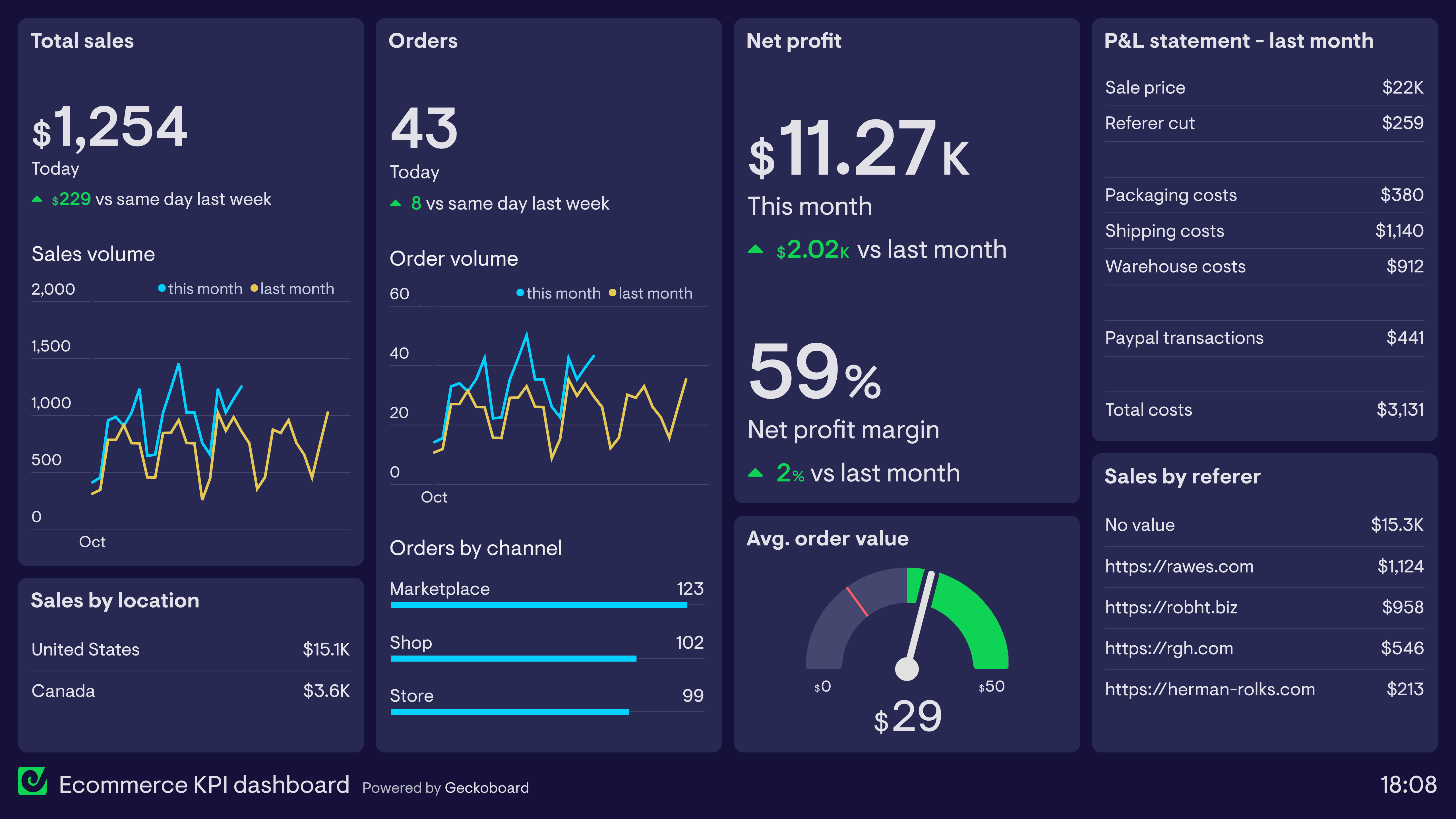
A Shopify dashboard gives ecommerce teams a real-time view of store performance — tracking orders, revenue, and customer behaviour as they happen. Store owners and ecommerce managers use it to monitor trading performance without logging into Shopify throughout the day.
Geckoboard is a live dashboard tool that connects to Shopify and the other platforms online sellers use — Google Analytics, ad platforms, email tools — and brings them into one always-current view. It's particularly useful for teams managing multiple Shopify stores who need a combined picture without switching between accounts.
Typical metrics include total revenue, orders placed, average order value, sessions, conversion rate, top products by revenue, and new vs. returning customers. Teams running multiple stores track these per store. Marketing teams add ad spend and ROAS from paid channels.
Building a custom Shopify dashboard is straightforward with Geckoboard's dashboard builder. Connect Shopify for store data, then add Google Analytics, Facebook Ads, Google Ads, or Mailchimp to bring in traffic and campaign data. Pick your metrics and build the view you need, then share with your team as a TV dashboard, shared link, or scheduled snapshot. Start a free trial or learn more about how Geckoboard works.
Use it to keep track of orders and revenue hour by hour, which matters most during sales events. It also helps bring Shopify, paid ads, and email into one view of what’s driving ecommerce performance.