Geckoboard Metrics MCP
Accurate metrics
for your AI assistant.
Give your AI access to real-time metrics from tools like HubSpot, Aircall, and Google Analytics. Use it to analyze changes, automate workflows, and build your own tools on data you can trust.
- Read-only access
- Token efficient


Trusted by thousands of data-driven teams
Do more with your data
Use the AI tools of your choosing, confident your metrics are accurate. Add context and combine data from multiple sources to go further.
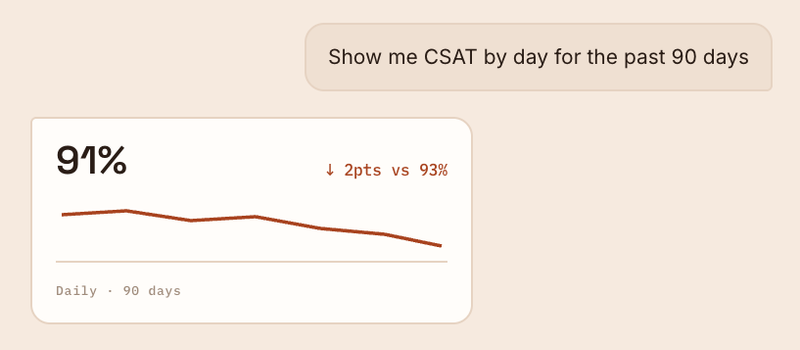
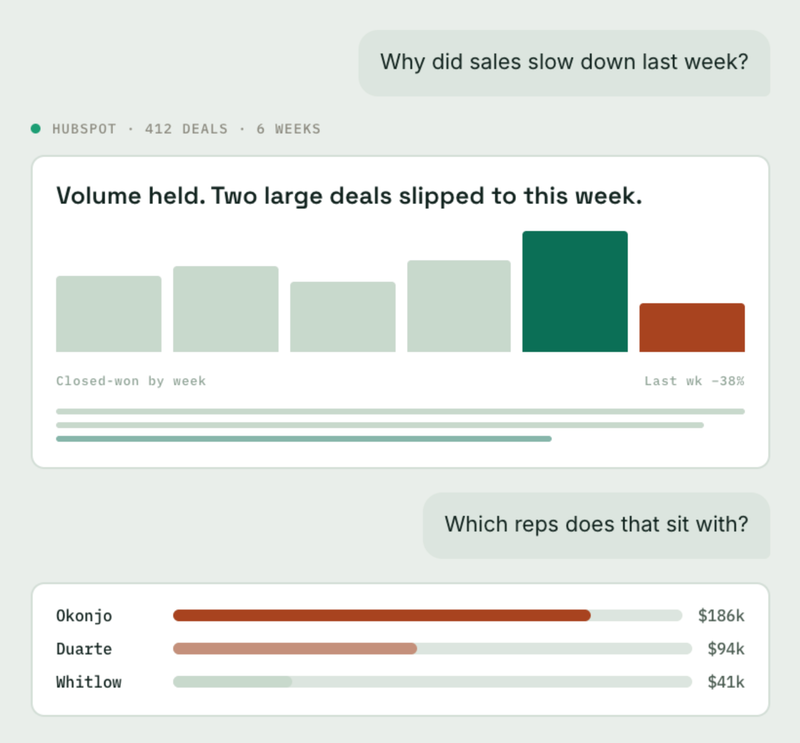
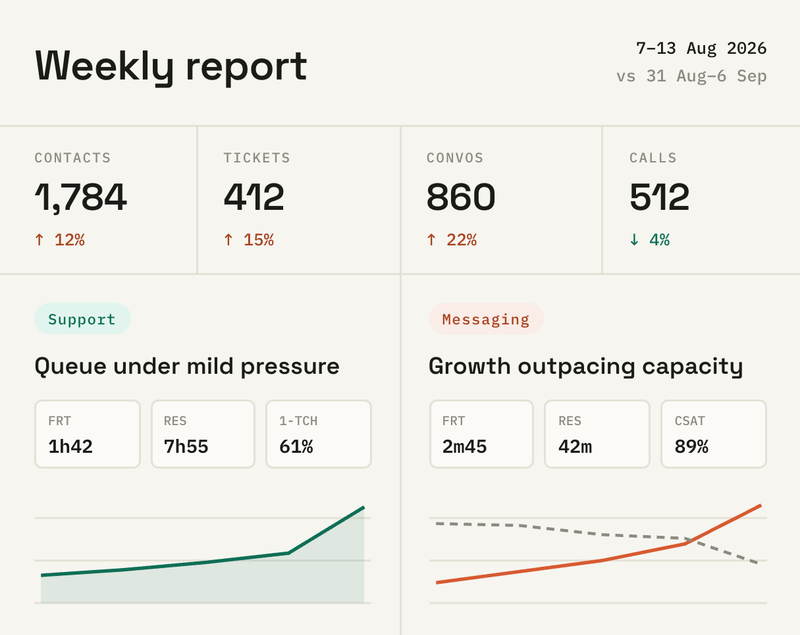
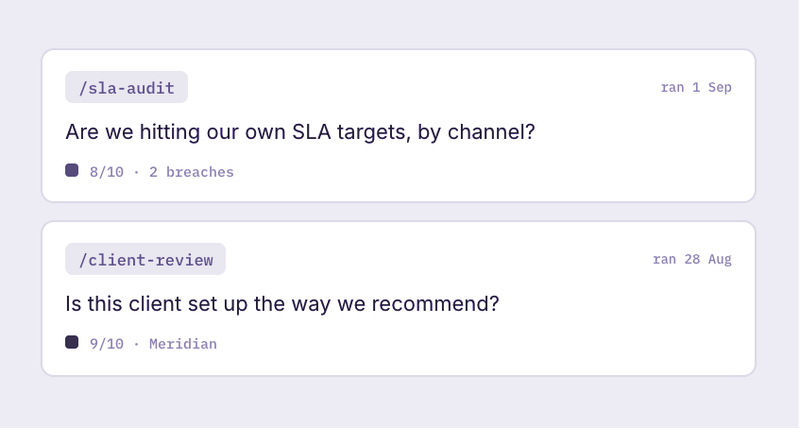

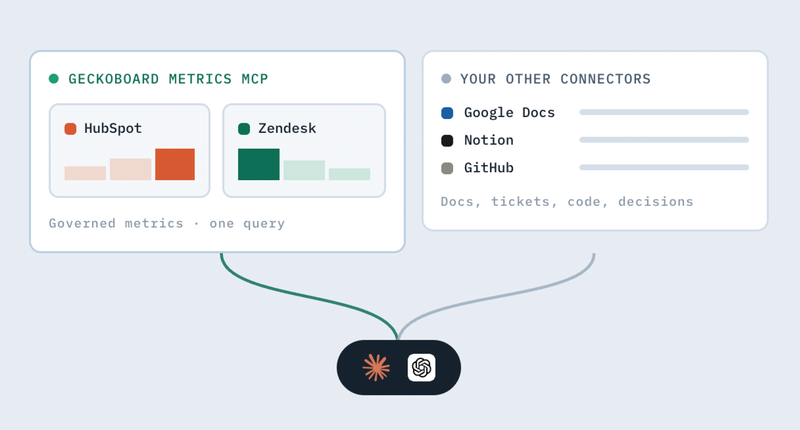

It’s like having a data analyst without having a data analyst.

The MCP server is a brilliant value add to my team and my overall analysis. I use it on a daily basis.

Getting started
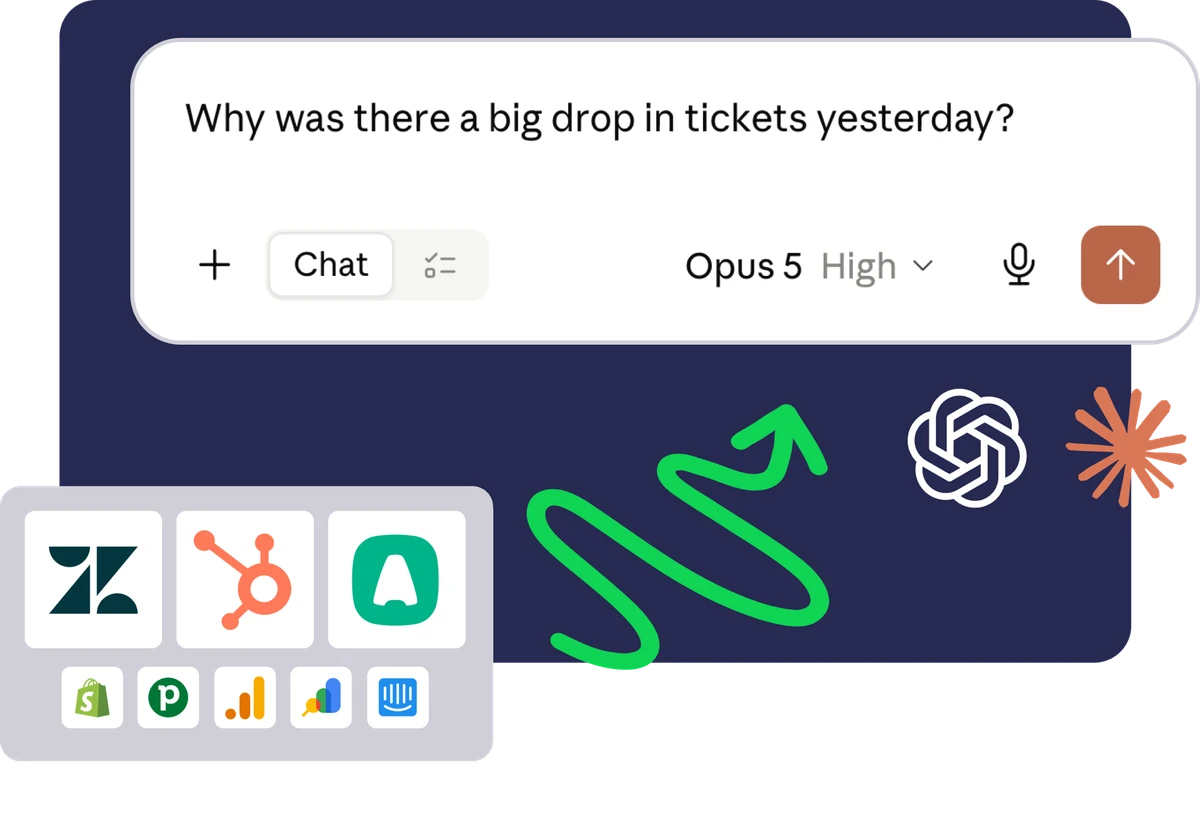
You can be up and running with the Metrics MCP in less than 30 minutes.
- 1
Create a Geckoboard account
Start a 14-day free trial. The MCP is available on all plans.
- 2
Connect your data sources to Geckoboard
Connect your data sources to Geckoboard to access their metrics through the MCP.
- 3
Connect Geckoboard to your AI assistant
Follow our setup instructions to connect the Geckoboard Metrics MCP to your preferred AI assistant or tool.
Supported integrations
Currently the Metrics MCP supports over 15 integrations, and we’re adding more.
Have a particular data source you need us to provide the semantic layer for? Get in touch.





Keep source systems and sensitive data protected

IT teams are rightly cautious about giving AI assistants direct access to systems of record. With write access, there’s always a risk that data could be changed or corrupted.
Geckoboard provides a layer of separation, giving your AI assistant access to the metrics it needs without write access to your source systems. Our data-source connections are read-only, as is the Metrics MCP’s access to data held in Geckoboard.
We also minimize PII by retrieving only the data needed to calculate your metrics, not the contents of tickets, calls or conversations.
AI needs pre-computed metrics
AI assistants like Claude, Gemini, and ChatGPT make excellent analysts, but only when they have access to pre-computed metrics.
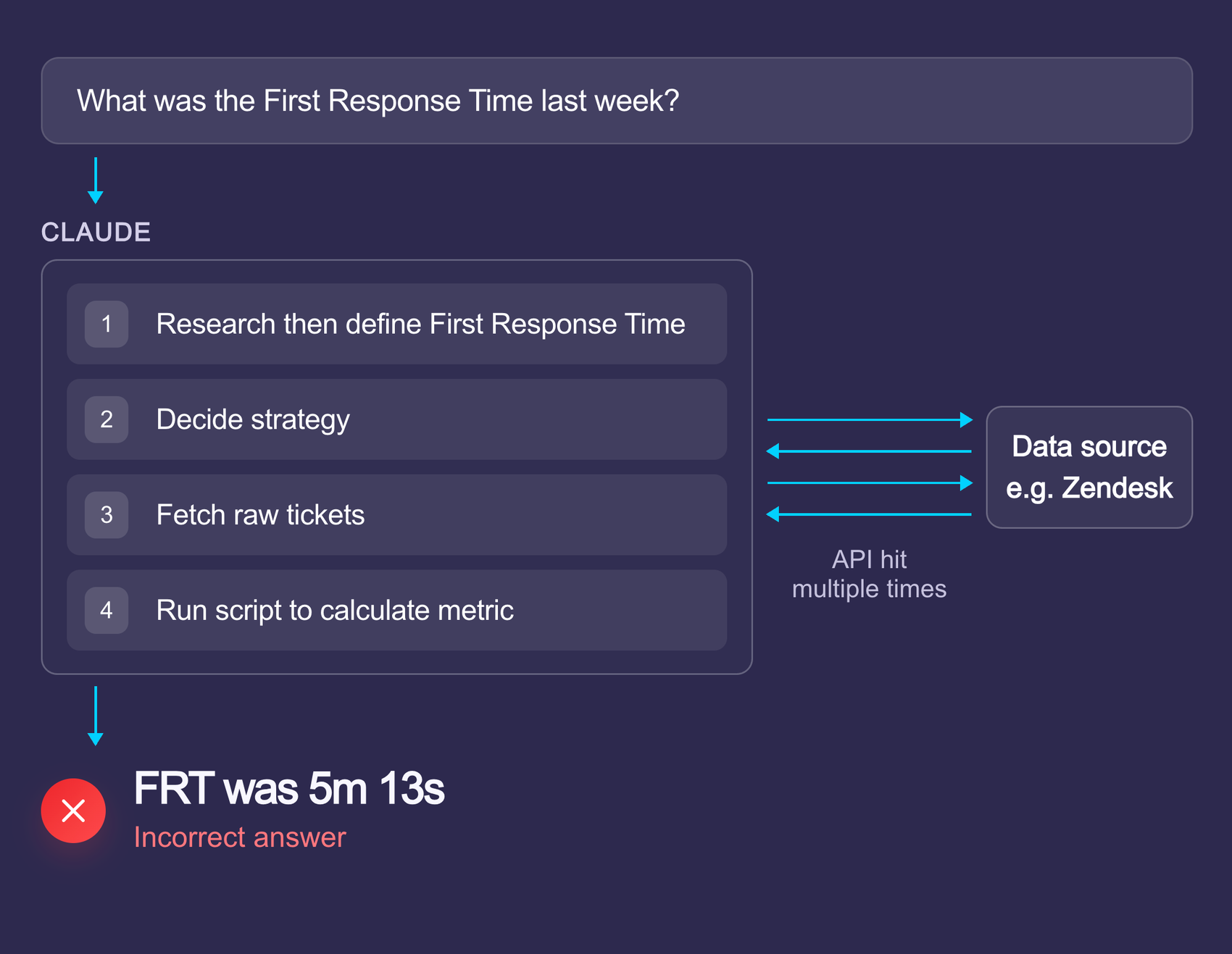
Working from raw records is slow and error-prone
Most MCPs are designed for returning and performing actions on records. Your AI assistant cannot simply ask a question and get an answer.
Instead it has to use brute force: first figuring out the business logic, then pulling back all the records and deciding what fields map to what, before applying a script to perform the calculation.
The result?
- Missed records
- Guessed business logic
- Inconsistent time periods
- Slow answers
- Heavy API usage
- Heavy token usage
- Limited to basic analysis
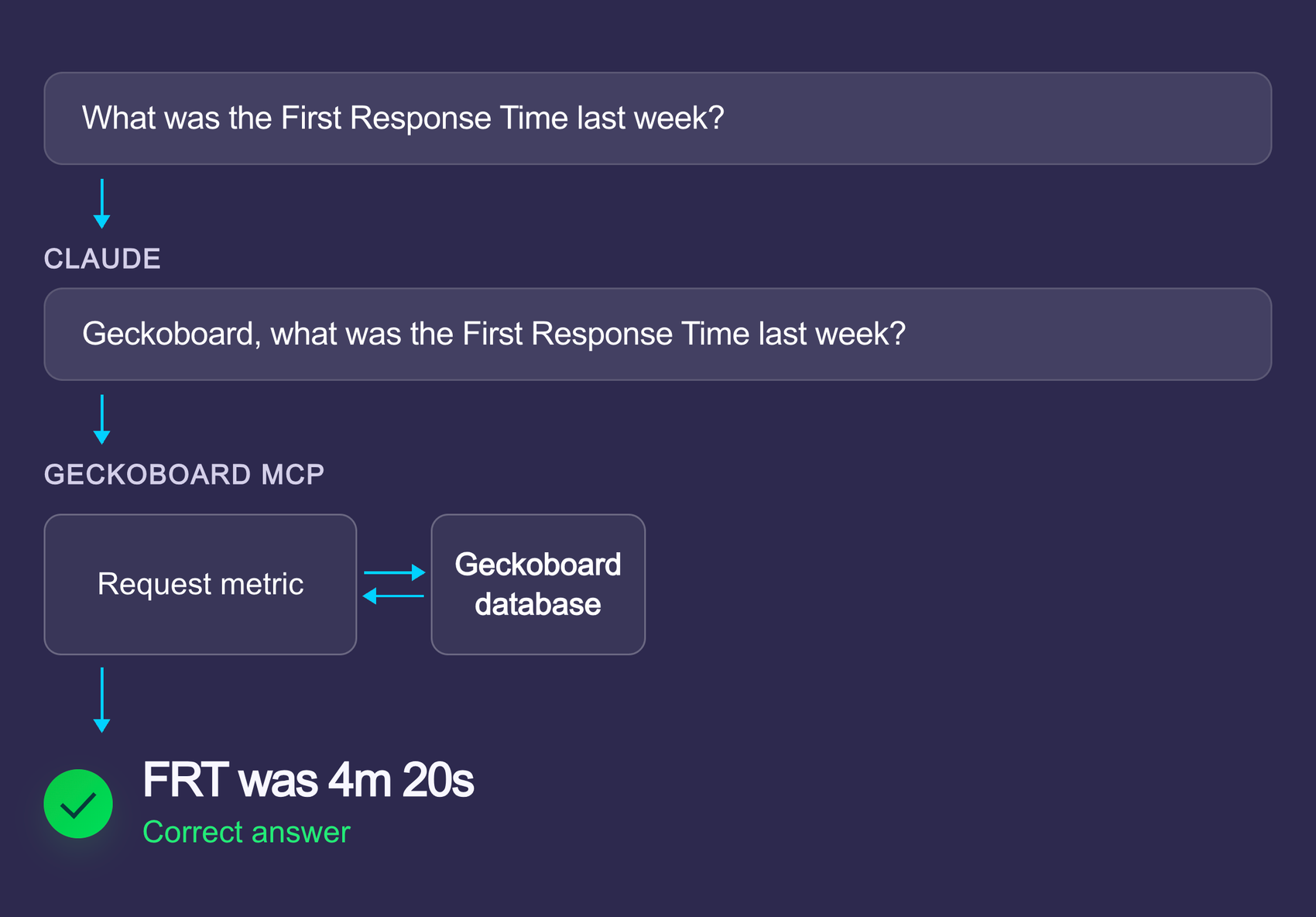
Getting metrics directly is fast and accurate
With the Geckoboard Metrics MCP, your AI agent can simply ask for the KPIs it needs, filtered and segmented as necessary, and the MCP will return the answer.
We’ve already done the work to transform the raw data into KPIs.
The result?
- Fast
- Accurate
- Live data
- Read-only access
- No personal customer data
- Token + API efficient
The Geckoboard Metrics MCP is designed for everyone who works with data as part of their role, from senior leaders through to frontline agents, analysts and ops roles.
Combined with your AI assistant, the MCP enables anyone to perform complex analysis quickly using trustworthy metrics.
Compared with traditional reporting, it significantly reduces the barrier to entry, allowing anyone to interact with their data conversationally.
Use it to ask questions like “Why did the UK see a big drop-off in new deals created last week?” through to “Was there a link between Shopify orders last month and support tickets created?”
The only requirements are an interest in data, access to an AI assistant that supports MCP and a Geckoboard Editor seat.
No. The Geckoboard Metrics MCP can request any metric, with any filter, breakdown or timespan that Geckoboard supports. You are not limited to what you display on your dashboards, and you do not need to configure anything upfront.
The Geckoboard Metrics MCP currently supports metrics from Aircall, Dialpad, Facebook, Facebook Ads, Google Analytics, Google Ads, Google Calendar, Google Search Console, HubSpot, Instagram, Intercom, LinkedIn, LinkedIn Ads, Matomo, Pipedrive, Shopify, Stripe, YouTube and Zendesk, with more being added all the time.
You can connect multiple accounts from the same data source and work with multiple data sources at once.
A full list is maintained here.
If you need an integration that isn’t there yet, tell us.
The Geckoboard Metrics MCP works with any service that supports MCP. That includes assistants like Claude and ChatGPT, build tools like Lovable and Replit, and automation platforms like Zapier and n8n.
As more tools adopt the standard, we’ll continue to extend our set-up instructions.
Most data sources do not provide metrics via their APIs. This means your AI assistant cannot just ask for a metric and get the answer.
Instead, it will try its best via brute force. It pulls back raw data and tries to calculate the metric itself. This is error-prone, slow and expensive in terms of AI tokens. It also usually involves giving your AI assistant write access to your data source, as well as access to sensitive customer data.
Furthermore, many services haven’t yet released even a basic MCP server.
No. The Geckoboard Metrics MCP is read-only. Geckoboard also only uses read-only connections to access your raw data. This means it cannot change the data in your source systems.
The Geckoboard Metrics MCP requires a Geckoboard account. You can start a 14-day free trial here.
You then need to connect Geckoboard to your data sources and follow our instructions for connecting the Geckoboard Metrics MCP to your AI assistant. The whole process can be done in a few minutes.
To connect the Geckoboard Metrics MCP to your AI client, you must currently be a Geckoboard Editor.
Tools like Claude and ChatGPT require each user of the MCP to connect Geckoboard separately.
The permissions required to connect your data source to Geckoboard vary by service. Geckoboard only requires read-only API access.
The MCP is available to try for free as part of the Geckoboard 14-day free trial.
It is currently included with all Geckoboard plans. There is no usage-based charge for the MCP. Each user of the MCP will likely require their own Geckoboard Editor seat.
You only consume tokens in your AI client, so you don’t need to worry about incurring additional Geckoboard charges for using the MCP.
No. The Metrics MCP is currently part of our combined offering, which includes dashboards and alerts. All Geckoboard customers have access to it.
They do different jobs. The purpose of Geckoboard’s live dashboards is to give teams a shared, real-time view of their current performance. Dashboards are still the best way of achieving this.
The MCP replaces analysis and ad hoc reports, and enables you to build custom tooling.
No, not yet. We are working on a separate MCP server for working with your dashboards.