Product update
Zendesk custom queue metrics
If you use omnichannel routing in Zendesk you can now build widgets displaying data from your custom queues. See at a glance how many tickets are waiting per queue, the longest wait time, whether exits are outpacing entrances, and more.
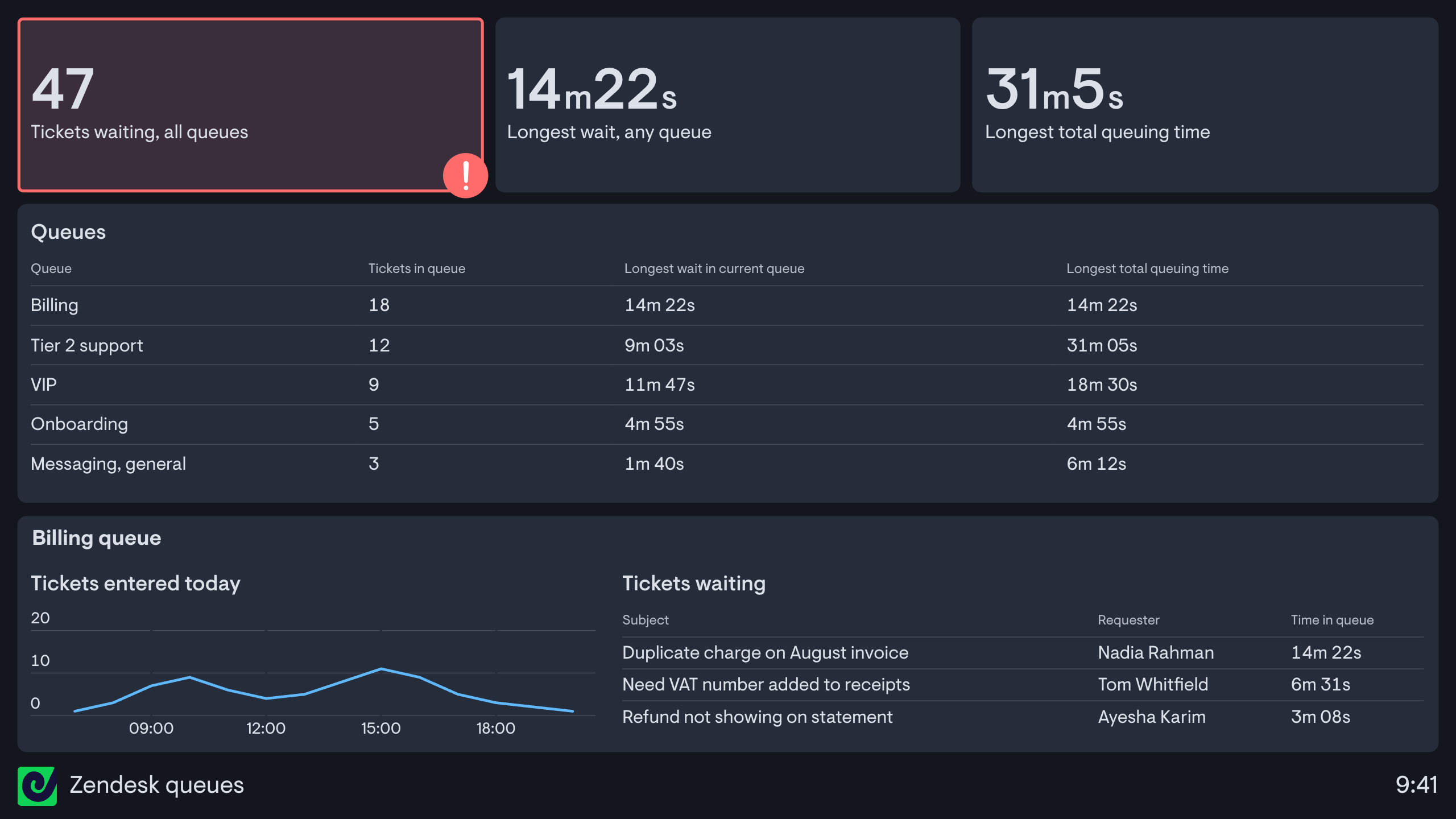
The new metrics are:
- Tickets in queue
- Longest / average time in current queue
- Longest / average total queuing time, which shows how long a ticket has spent in all queues across its whole lifetime, and isn't available in Zendesk's own reporting
- Tickets entered / exited queue
- Wait time, which enables tracking the trend over time in the average or longest wait time
Each can be filtered or broken down by queue, channel, primary or secondary group, or the reason work entered or left the queue.
Since these widgets live on a Geckoboard dashboard, not a locked-down report, they're fully customisable and instantly shareable, meaning you can put live queue data in front of the people who can actually make an impact on performance - the team.
And, as well as displaying on dashboards, these new queue metrics can be hooked up to Slack and MS Teams alerts to make the team aware of any sudden spikes that they need to get on top of.
Available today in the Zendesk integration.