Google Ads dashboard examples
A Google Ads dashboard takes the metrics that matter — cost, clicks, conversions, ROAS — out of the Ads platform and into a view that's quick to read without logging in. It's particularly useful for keeping managers and stakeholders current without needing to navigate the platform themselves.
Google Ads this month dashboard
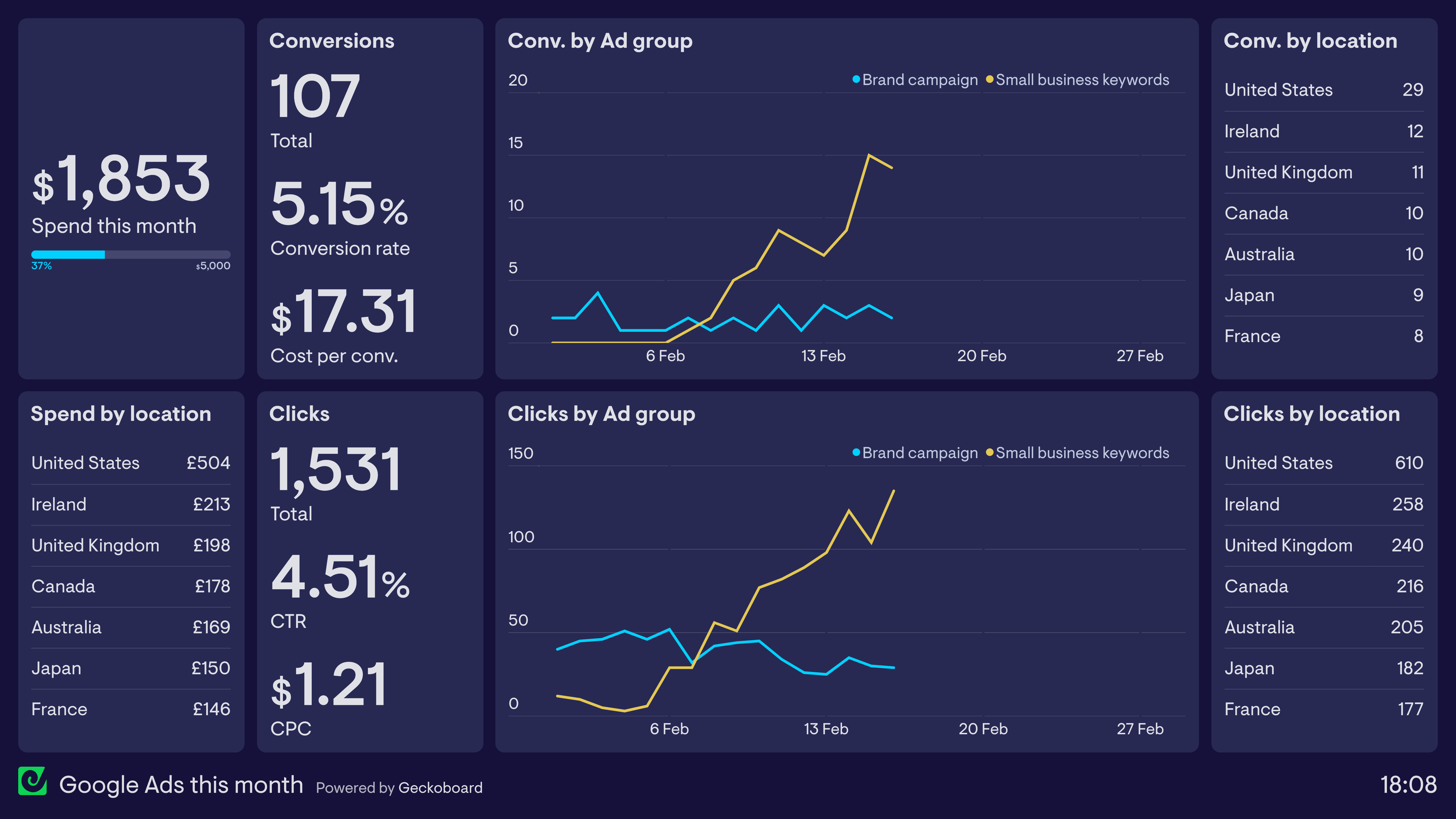
This dashboard shows the performance of Google Ads over the past month. The dashboard makes it easy to see how the budget is being utilized, and how the campaign is performing overall in terms of clicks and conversions.
The line charts in the middle split the campaign by ad group. Here we can see that the ad group targeting branded search terms has been performing consistently, but there has been significant improvement in the ad group targeting generic keywords used by small businesses.
Browse other popular examples
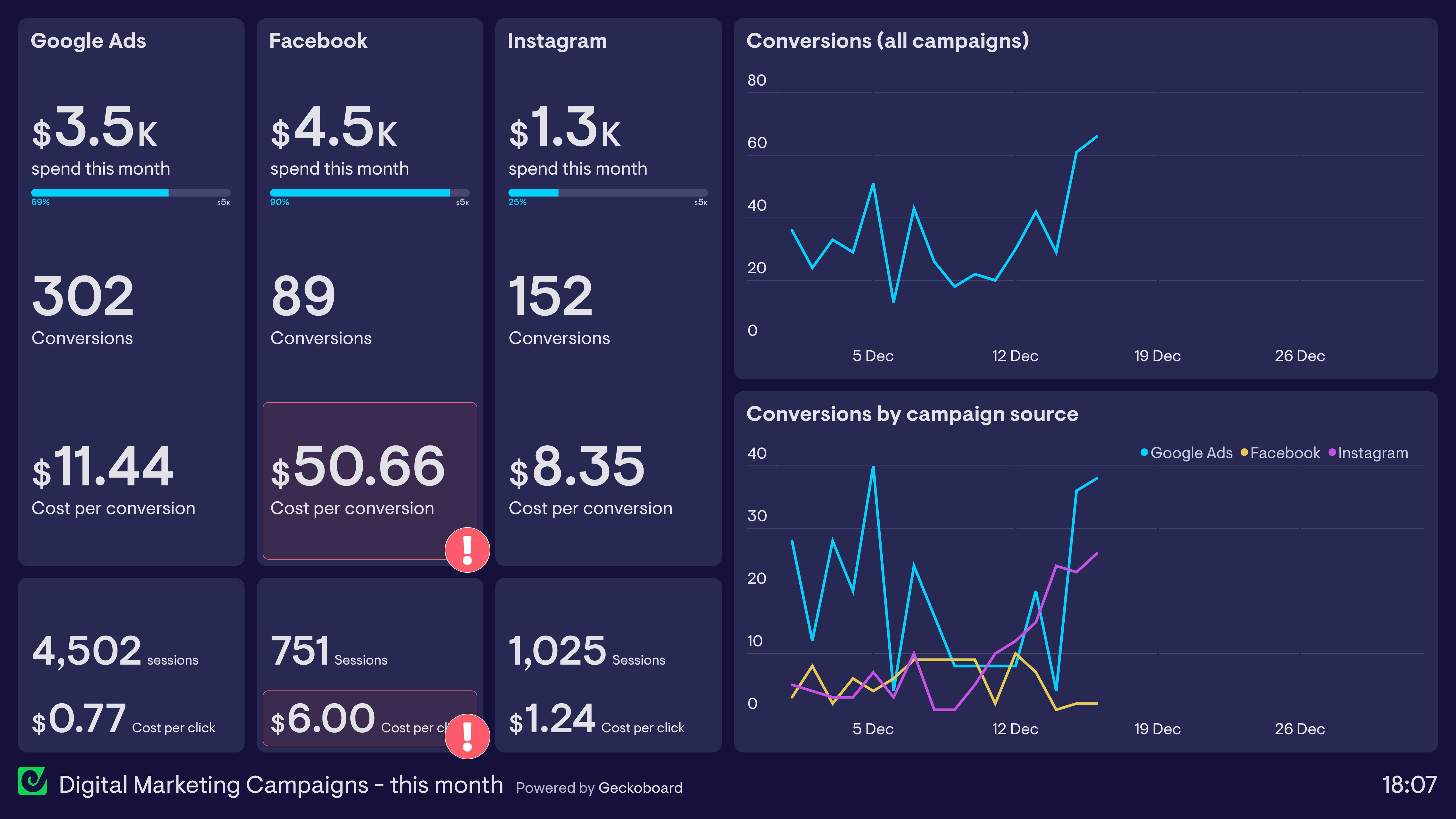
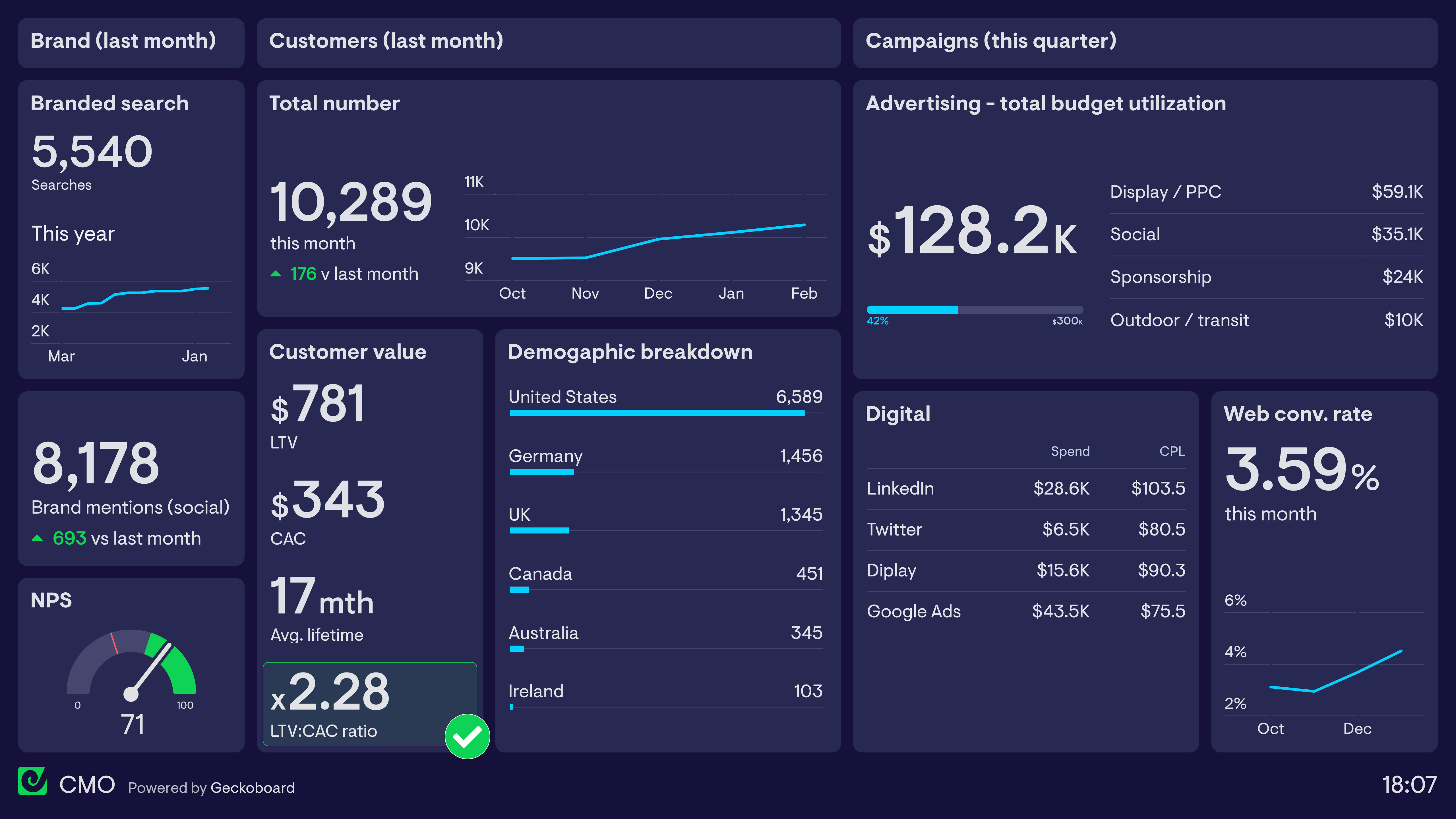
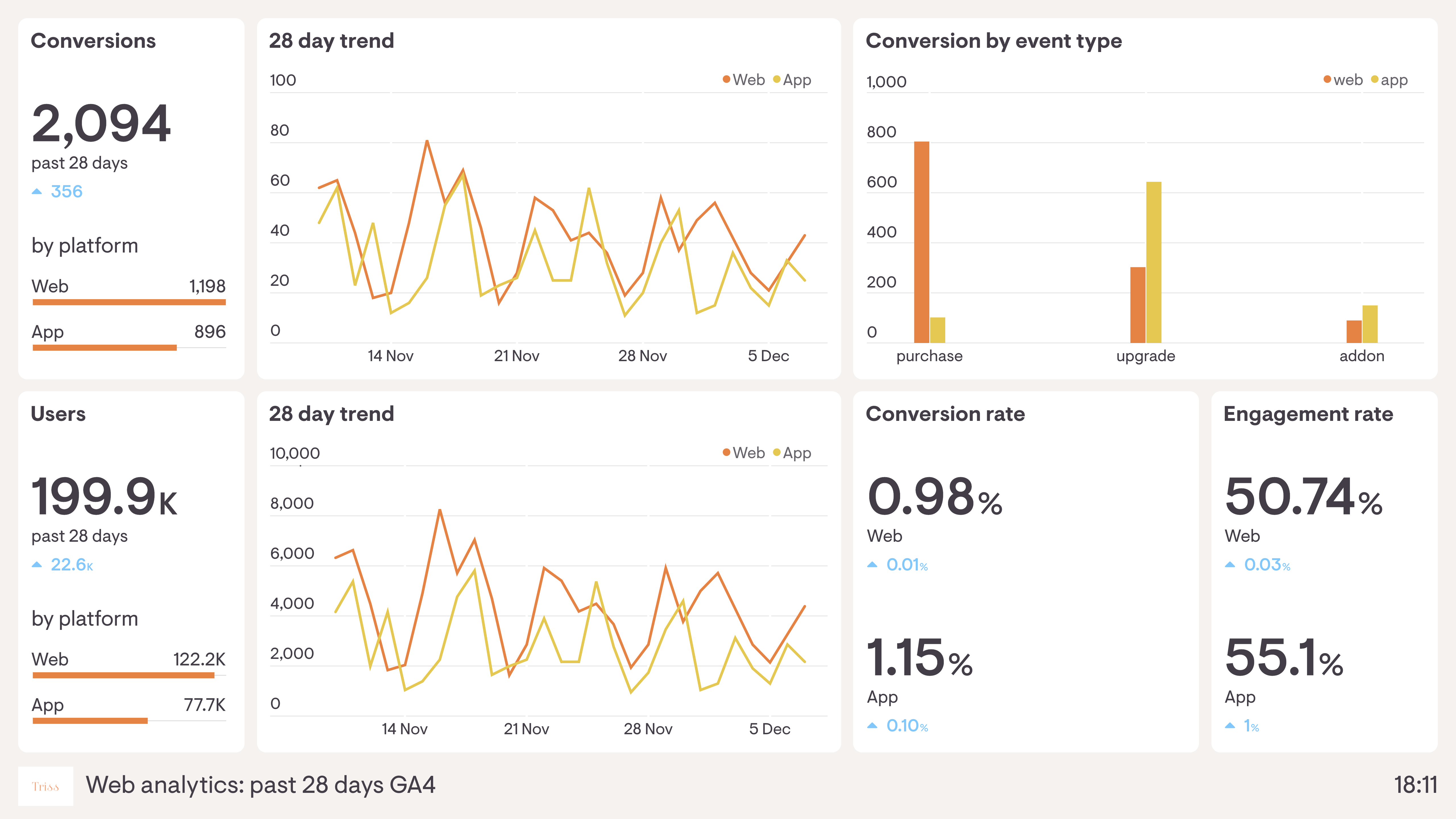
A Google Ads campaign dashboard gives paid search managers a real-time view of campaign performance — tracking spend, impressions, clicks, and conversions in one place. It's designed for teams managing Google Ads budgets who want to catch underperforming campaigns and optimise spend without manually pulling reports from the platform.
Geckoboard is a dashboard tool that connects to Google Ads alongside Facebook Ads, Google Analytics and more to give marketing teams a live view of campaign performance across channels — without needing to navigate each platform separately.
Key metrics include impressions, clicks, CTR, average CPC, conversion rate, cost per conversion, ROAS, and total spend. Teams with multiple campaigns track these per campaign and ad group to identify what's working.
Building a custom Google Ads campaign dashboard is straightforward with Geckoboard's dashboard builder. Connect Google Ads to pull campaign data automatically into a live dashboard, then pick your metrics and build the view you need. Share with your team as a TV dashboard, shared link, or scheduled snapshot. Start a free trial or learn more about how Geckoboard works.
Use it to pause overspending campaigns or reallocate budget the moment performance dips. It also replaces the daily habit of exporting Google Ads data into a spreadsheet, letting you share an always-current view instead.