Product updates
Schedule multiple snapshots per dashboard
You can now schedule multiple snapshots of the same dashboard, making it easier to keep different teams in the loop throughout the day.
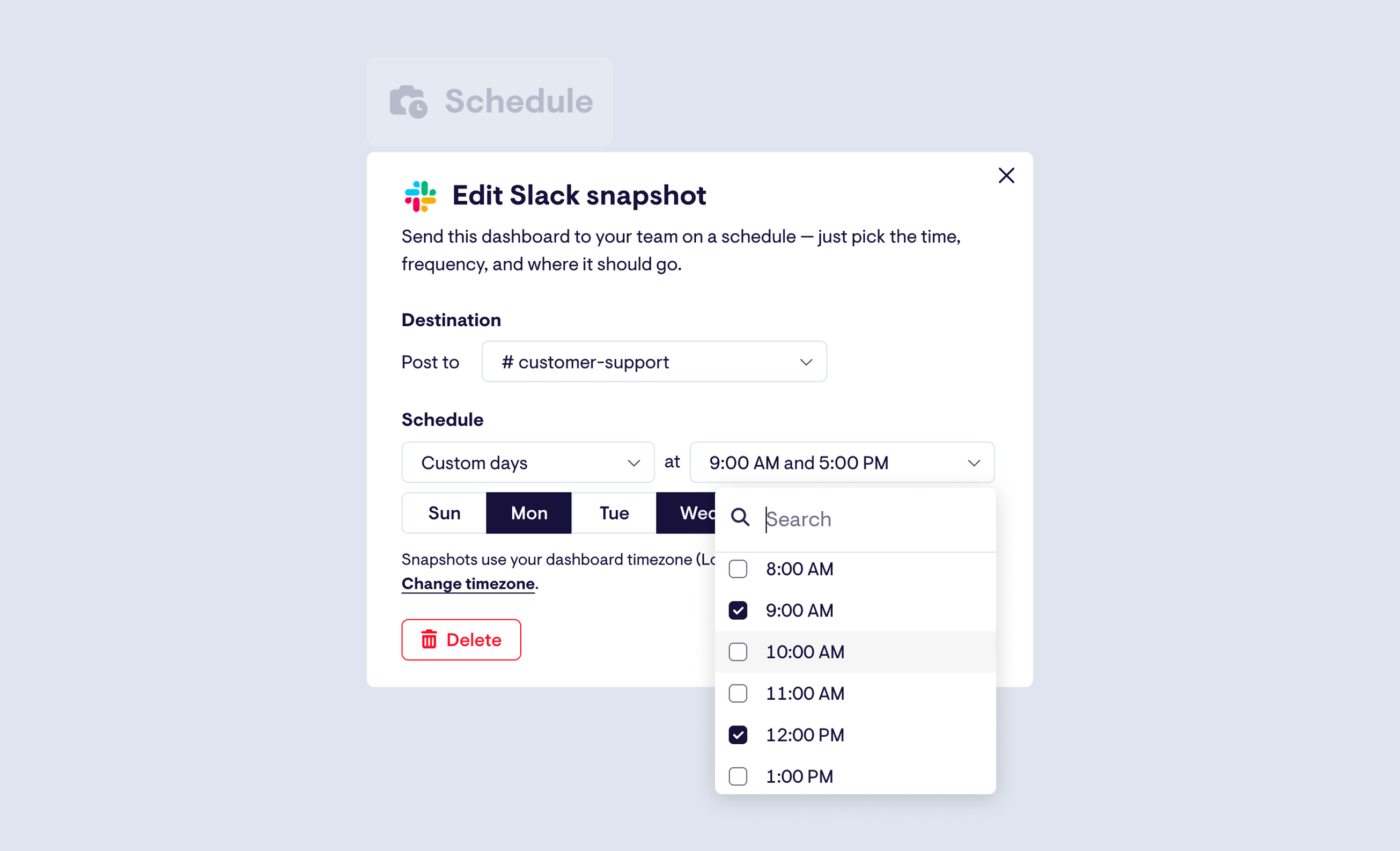
Whether you want to send a dashboard at morning standup, again for an afternoon review, or as a handover between teams in different timezones, you're no longer limited to a single schedule. You can also send the same dashboard to multiple Slack or Microsoft Teams channels, each at different times.
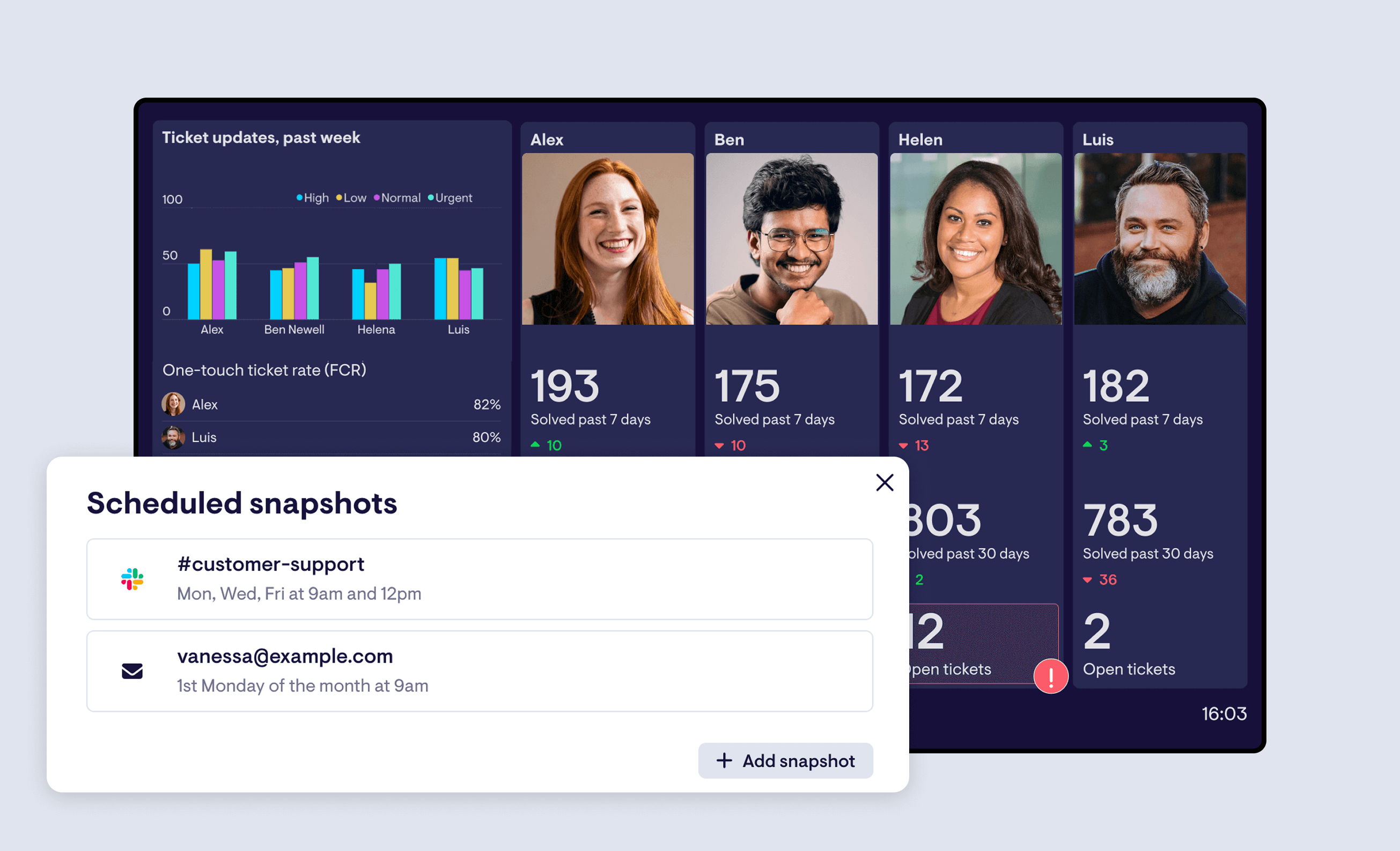
To manage your snapshots, head to the reworked Schedule tab when editing a dashboard. From there, you can see all channels and schedules at a glance, and quickly add, edit, or remove any of them.
Numeric filtering now available on all Geckoboard plans
Numeric filtering allows you to filter on numeric properties - for example, “Number of tickets where first reply time > 2 hours”, or “Number of deals where deal value is > $10k”.
Previously only available on our Pro plan, we've made this powerful functionality available on all Geckoboard plans from today. Enjoy!
Map visualization now available on our Shopify integration
Just in time for the holiday season - you can now visualize Shopify data using our map visualisation.
See New Orders come in, track Average Order Value for a specific period, or monitor Gross Sales - our map visualisation works with all our Shopify metrics.
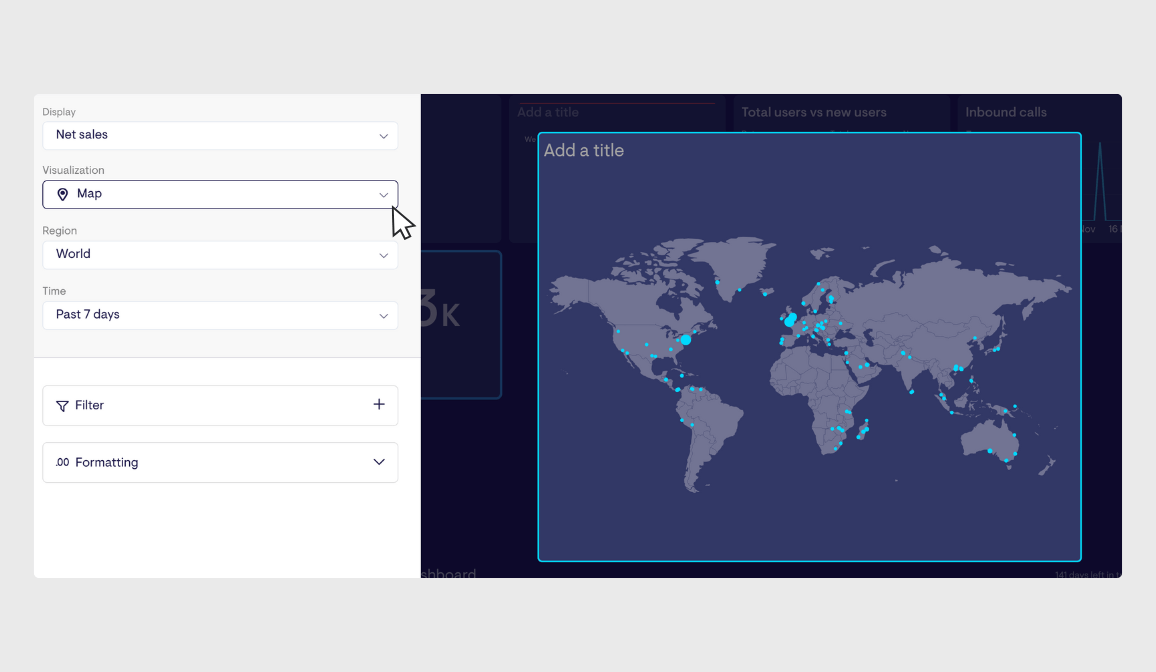
You can choose between a global view, or zone in on specific regions or counties too - perfect for tracking how your store is performing in different places, in real-time.
Announcing Geckoboard’s new Microsoft Teams integration
We're excited to announce the launch of our new Microsoft Teams integration, connecting your most important metrics directly to your team's workflow. Now you can bring real-time data right into the channels where your team collaborates every day, helping everyone stay informed and act quickly on performance changes.
Connect Geckoboard to Microsoft Teams, and unlock two powerful features designed to keep your business running smoothly:
1. Automated Dashboard Snapshots
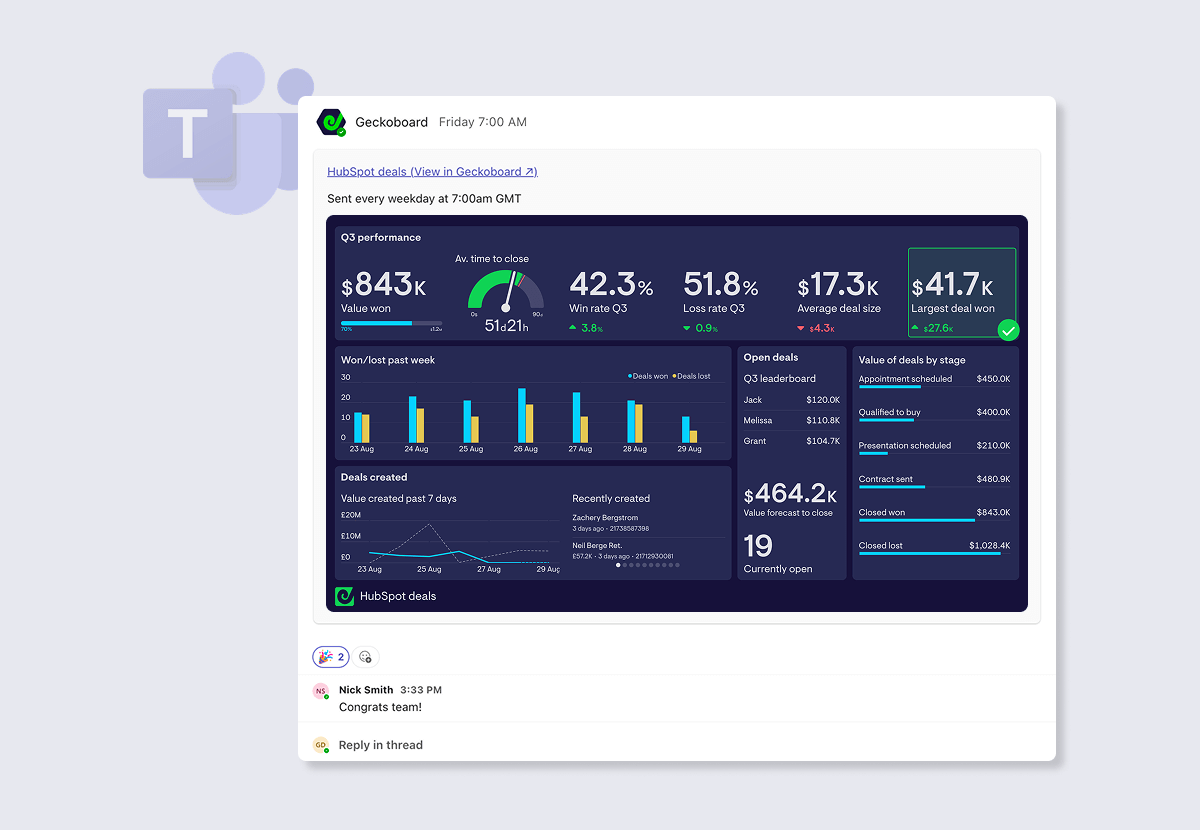
Keep teams and stakeholders around your business in the loop with dashboard snapshots. With our new integration, you can easily schedule automatic screenshots of your Geckoboard dashboards to post directly into Microsoft Teams.
- Keep everyone aligned: Ensure your team starts the day with an accurate overview of performance.
- Set the right cadence: Choose to share daily, weekly, or monthly to fit your review cycle.
- Increase data visibility: Make key metrics a natural, effortless part of your team's conversation.
2. Real-Time KPI Alerting
Now you can get alerted in Microsoft Teams when your KPIs hit specific thresholds - whether that's a positive milestone or a critical dip in performance.
- Instant notifications: Notifications will automatically post in a designated Teams channel, letting you know the moment an important metric changes.
- Maintain momentum: Celebrate successes immediately and quickly troubleshoot problems before they escalate.
- Swarm around problems: Centralize discussion around specific problems as they arise and easily loop in others.
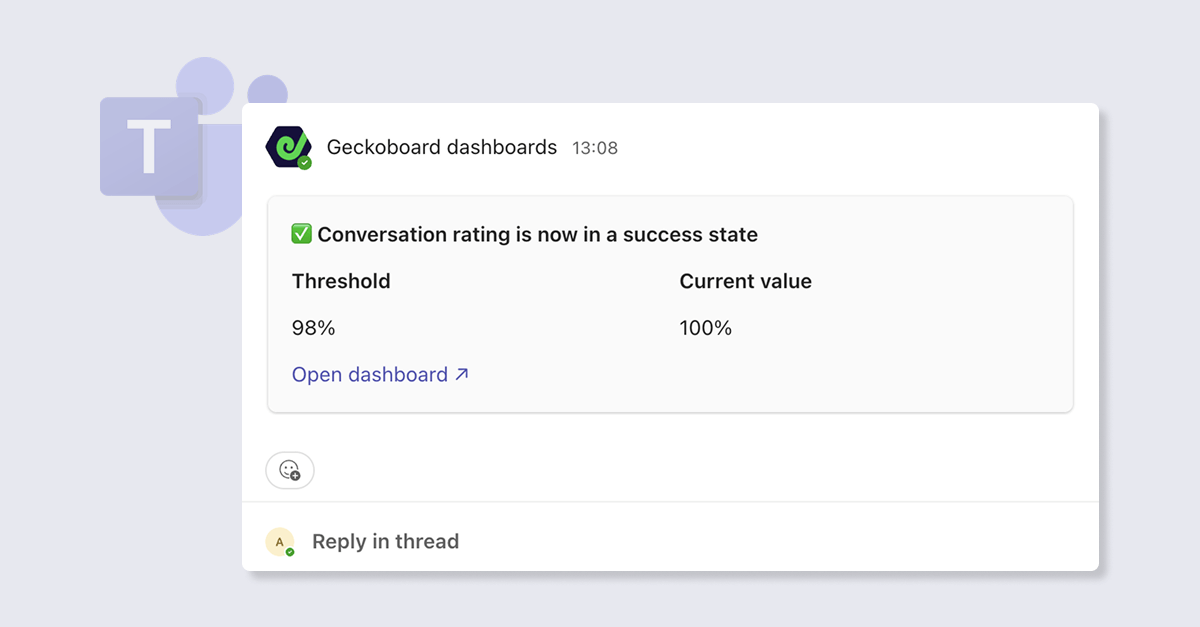
This integration is available today to Geckoboard customers on our Core plan or above. To get started, set up a snapshot using the ‘share’ menu in the dashboard menu bar. Or to set up a notification, add add a status indicator whilst building or editing a widget, and follow the steps to connect your Teams account.
View our help articles here.
Enhanced Zendesk metrics and filters
We’ve added a range of new metrics and filtering options across our Zendesk integrations, making it easier to monitor more aspects of your support operation. Here’s what’s new.
Zendesk Support
- Total number of tickets replied to
- Group tickets by number of replies (e.g., number of tickets with 1 reply, 2 replies, 3 replies)
- Interactive View now supports sorting on multi-select, tagger, and checkbox custom fields, giving you more ways to slice ticket data directly from your dashboard
Zendesk Agent Status
- Total channel capacity (across email, messaging, phone, etc.)
- Total agent capacity
- Remaining available capacity (by channel or agent)
- Filter work items by group and skill to monitor specific team segments
Zendesk Messaging
- Total messages in queue
- Total assigned messages
Zendesk Voice
- Percentage of calls waiting less than 60 seconds
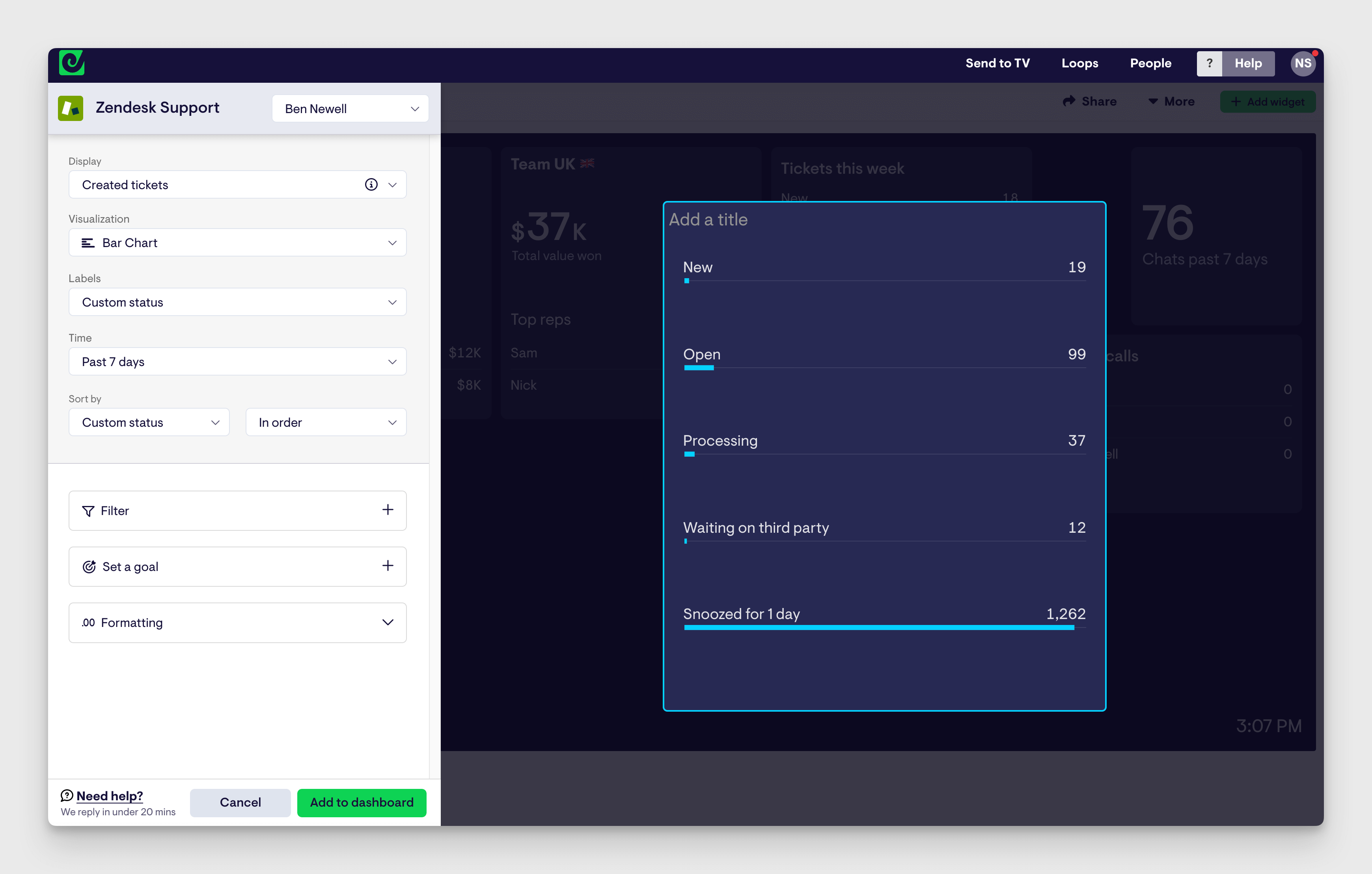
Support for custom ticket statuses in Zendesk
Our Zendesk Support integration now supports custom ticket statuses, giving you better visibility into your unique support workflow.
You can now filter or split relevant Zendesk metrics by custom status, making it easy to track tickets in stages like "Awaiting Customer," "Engineering Review," or any other custom status you've set up in your Zendesk account.
To use this feature, simply select Custom Status when filtering or grouping your Zendesk metrics.
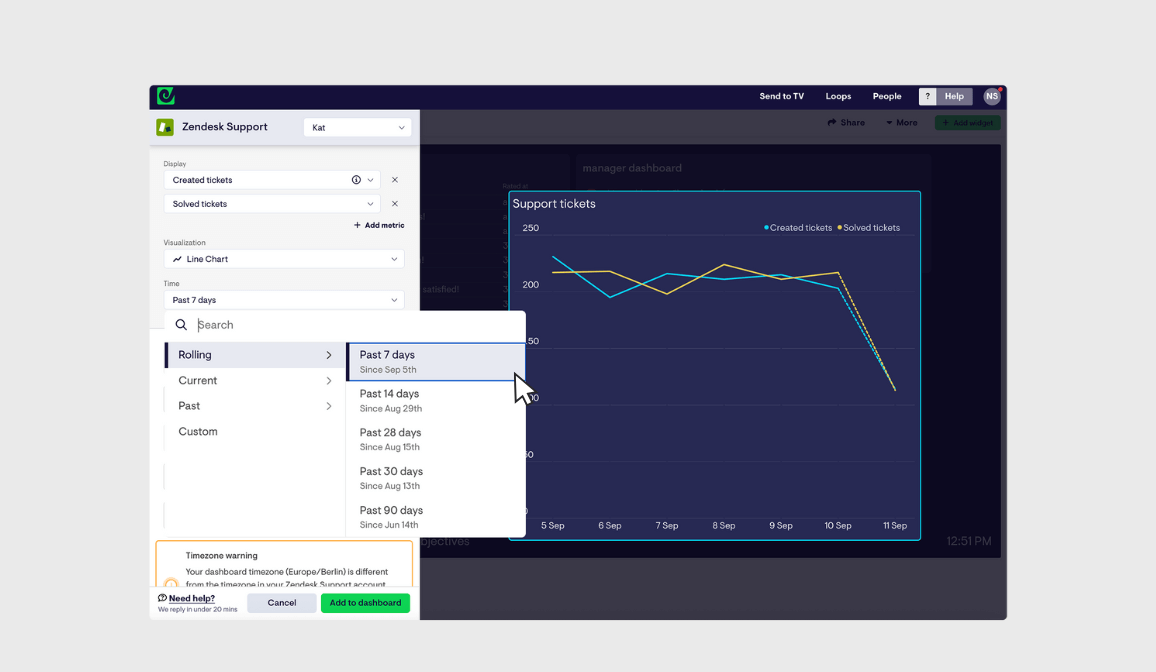
Choosing a time period and adding multiple metrics is easier
We've shipped some small improvements to help with two important widget-building steps.
Time periods have been streamlined and organized, making it easier to find the option you want. Selecting a custom time period is now easier too.
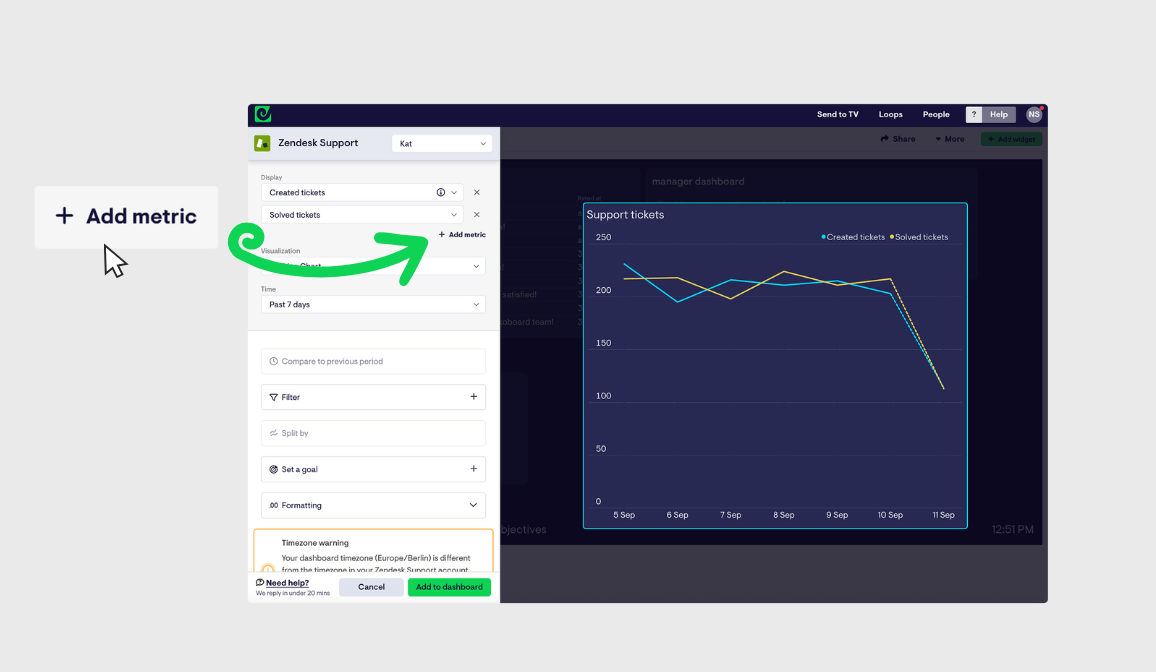
It's now easier than ever to add multiple metrics to the same widget, with a more prominent 'Add metric' button. Currently available on line, column and table visualizations if the data source allows.
Filter Help Scout metrics by conversation type
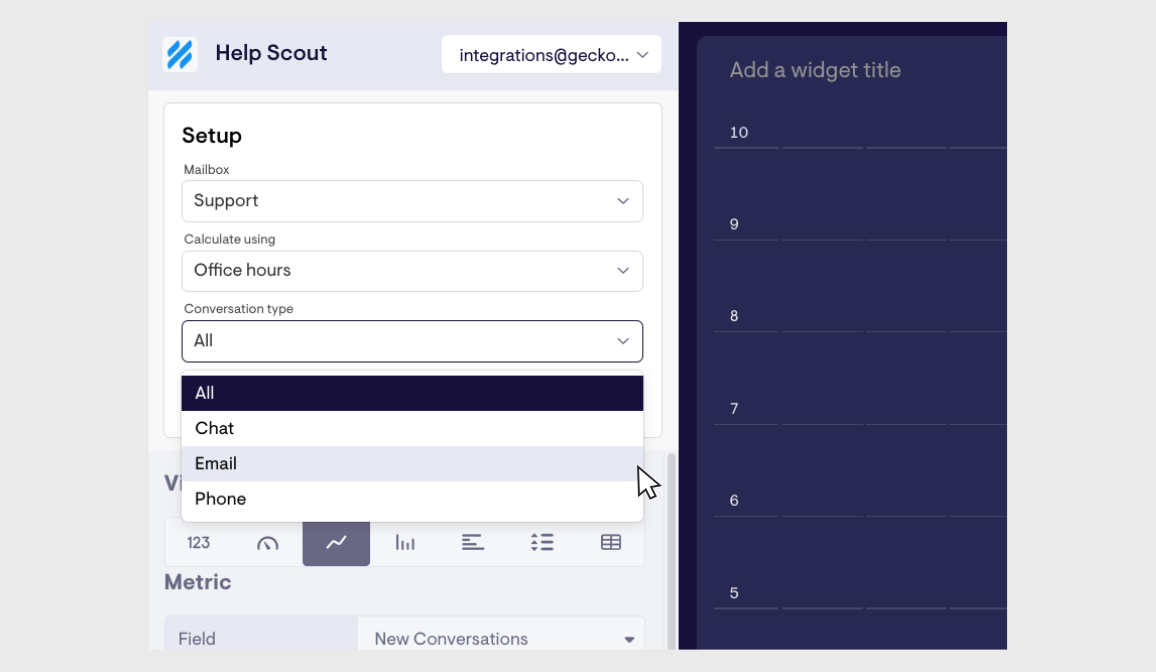
Our Help Scout integration now lets you filter metrics by conversation type, giving you more focused insights into your support performance.
When setting up any Help Scout widget, you can now choose to display data for specific conversation channels:
Chat - Live chat conversations only Email - Email support conversations only Phone - Phone support conversations only All - Combined data across all channels (default)
Filter Answered Call % by missed call reason in Aircall
Our Aircall integration now lets you filter metrics by missed call reason on Answered Call %, giving you a more precise view of why calls aren't being answered.
Support for more Zendesk Voice (Talk) metrics and filters
We've massively expanded the range of call-related metrics from Zendesk you can share on your dashboards, opening up a huge range of possibilities for teams using Zendesk Voice.
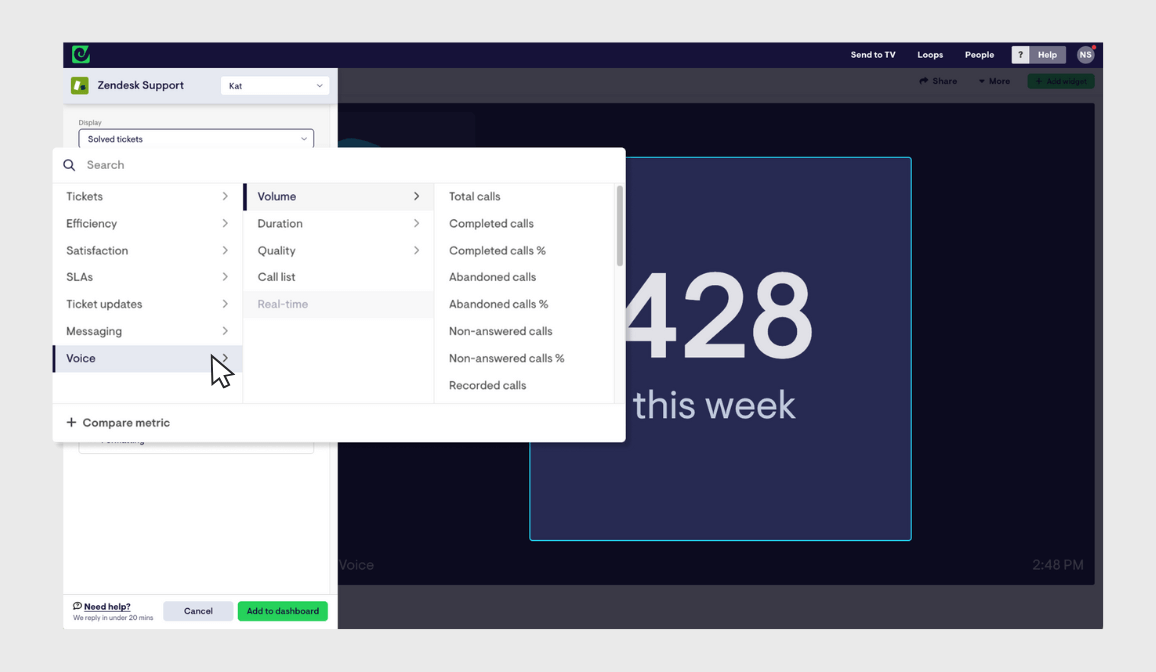
The new additions can now be found within our existing Zendesk Support integration, and allow you to monitor historical call performance in much more detail than before.
Simply click the new Voice category within our Zendesk Support integration, and select from a range of new metrics including:
- Call volume
- Call completion rate
- Average handle time
- Total talk time
- Hold time
- Wait time
- Abandoned calls
- Good and bad quality calls
- ...and more
These can be filtered by a whole range of call-related filters, such as wait time, handle time, group, team, recording status, and call quality, for even more precision.
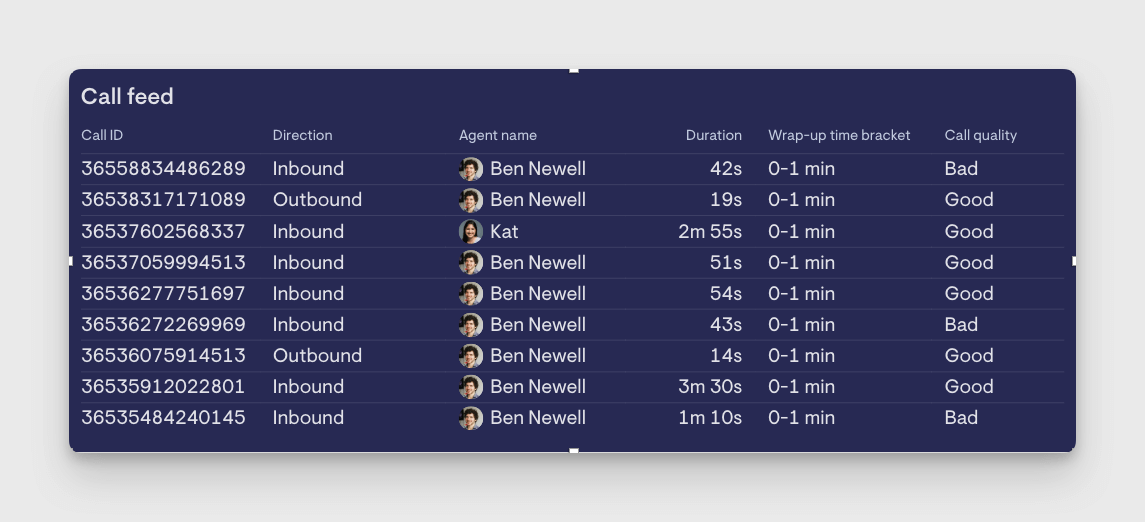
You can add a customised call feed too, featuring a number of different call properties alongside each call ID, such as the agent taking the call, answer time, talk and handle time, completion status, call quality and more.
For now, real-time Voice metrics — like calls waiting, current longest wait time, and current agent availability — can still be found within our standalone Talk integration. As ever, get in touch with any feedback or suggestions!