Inventory dashboard examples
An inventory dashboard shows live stock levels so operations teams can plan orders, spot shortages early, and avoid being caught out by demand. Sales and floor teams benefit too — when everyone can see what's available in real time, it's easier to have honest conversations with customers.
Inventory dashboard
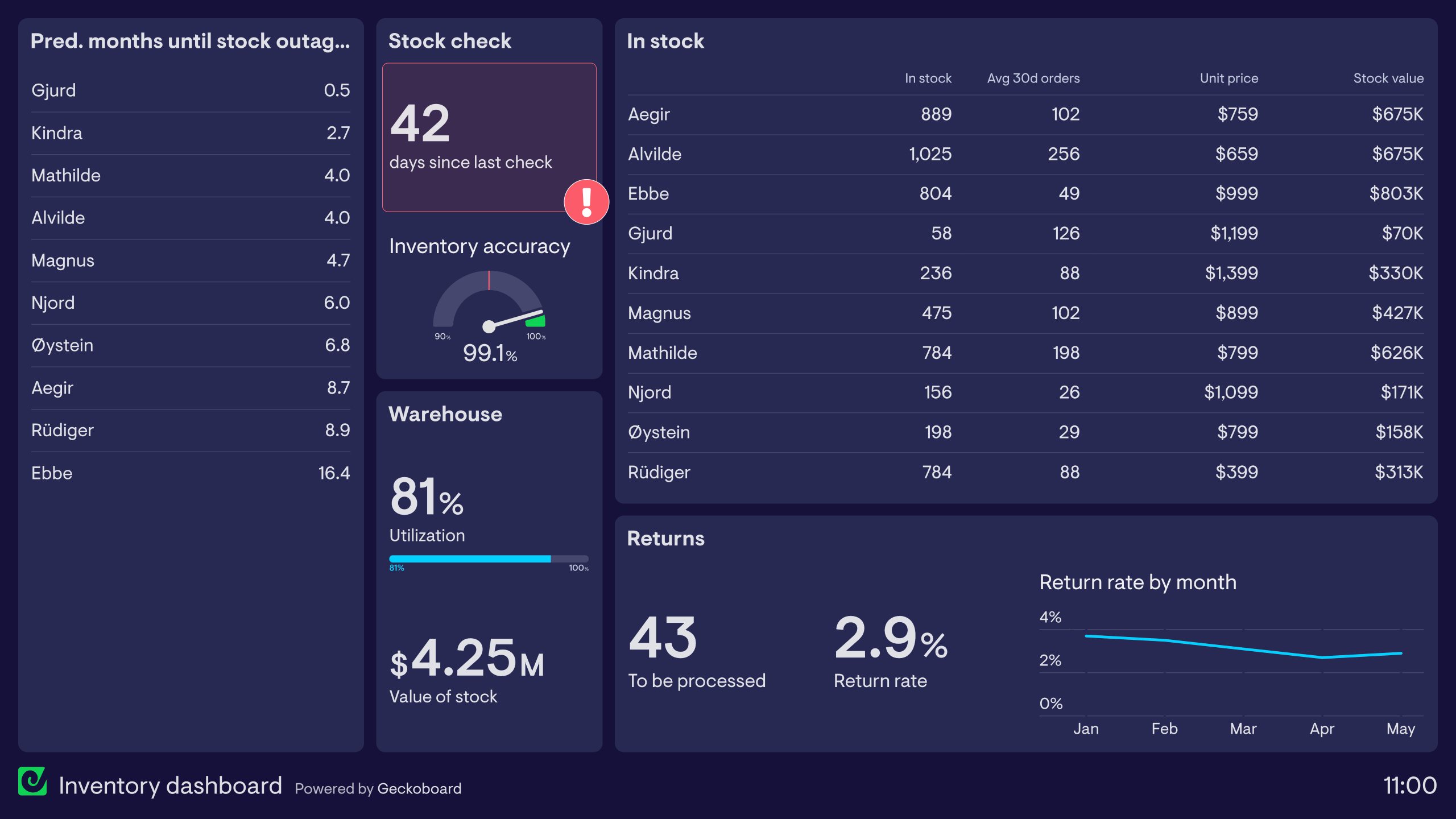
This inventory dashboard example is taken from a furniture company. The dashboard is based on data that combines sales and delivery information with the latest stock check.
Because of the practicalities of storing large furniture items, it’s not possible to check how much stock is available just by looking. Using this dashboard, we can clearly see how much of each item is in stock. We can also see how many months the supply of each item is likely to last based on current sales figures.
In addition, the dashboard includes important supporting information such as the inventory accuracy rate and the number of days since a full stock check was last completed. (This serves as a useful reminder for the operations manager to order a new stock check.). We can also see the utilization of warehouse space, as well as the overall value of the stock.
Browse other popular examples
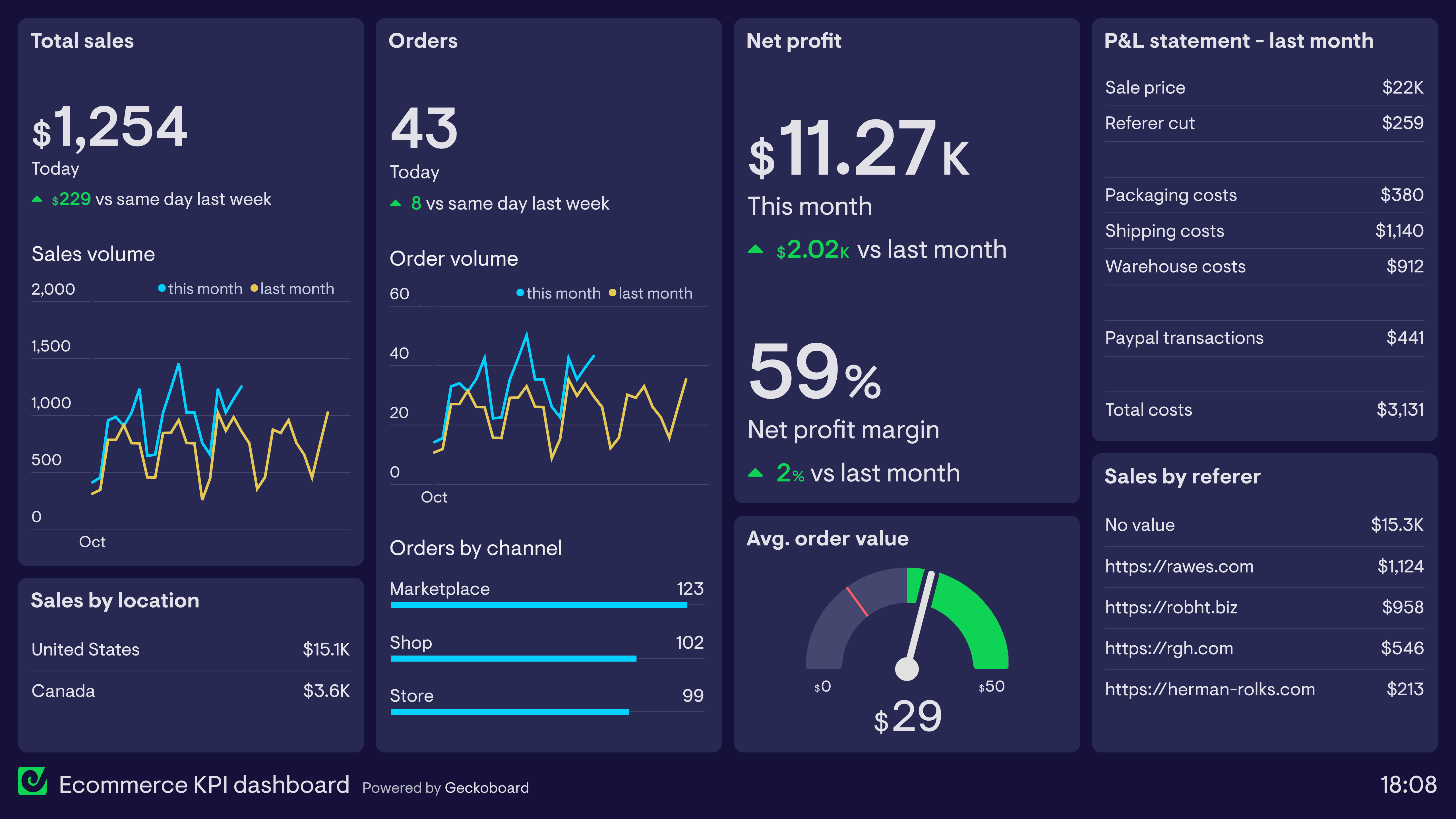
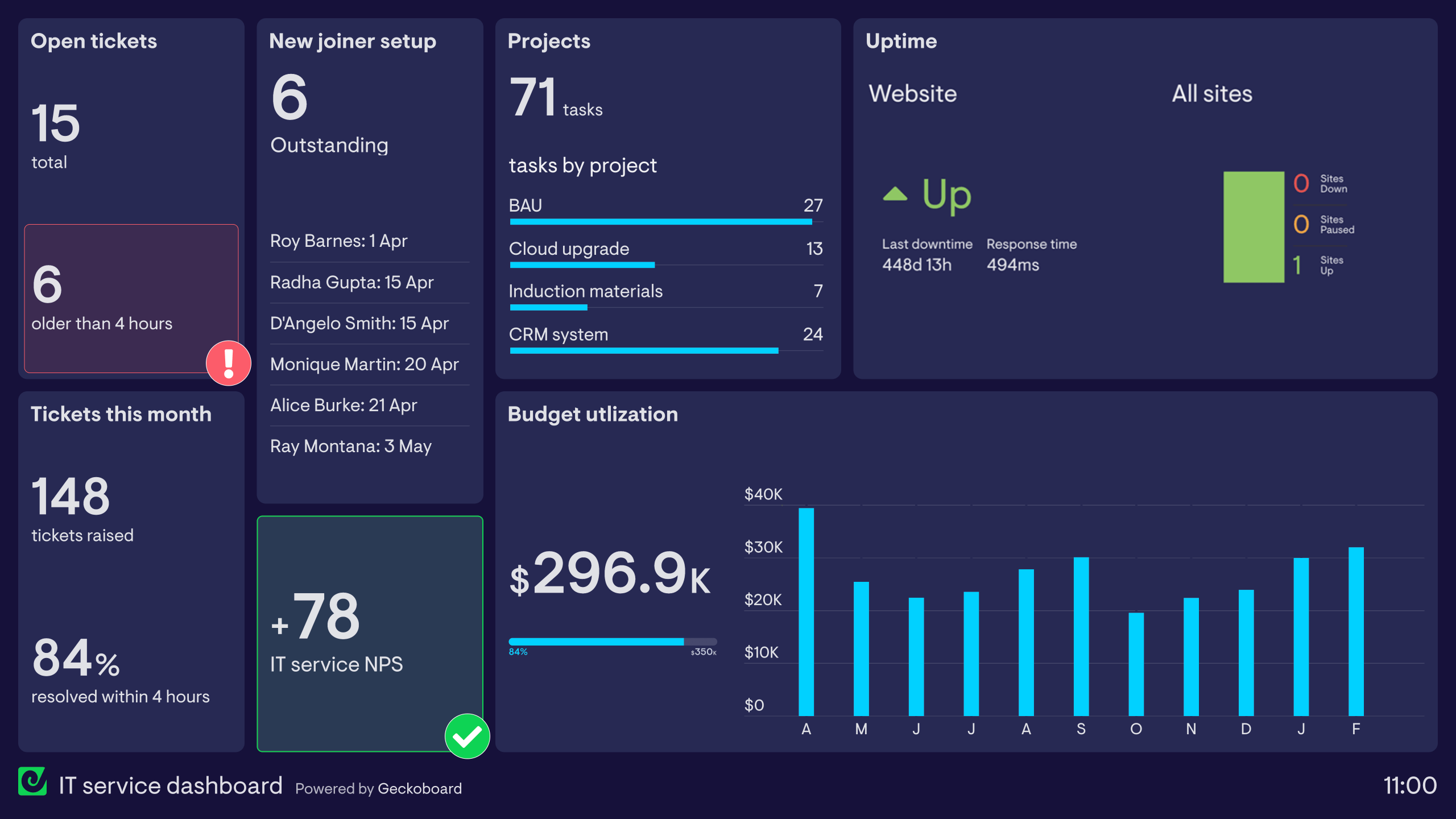
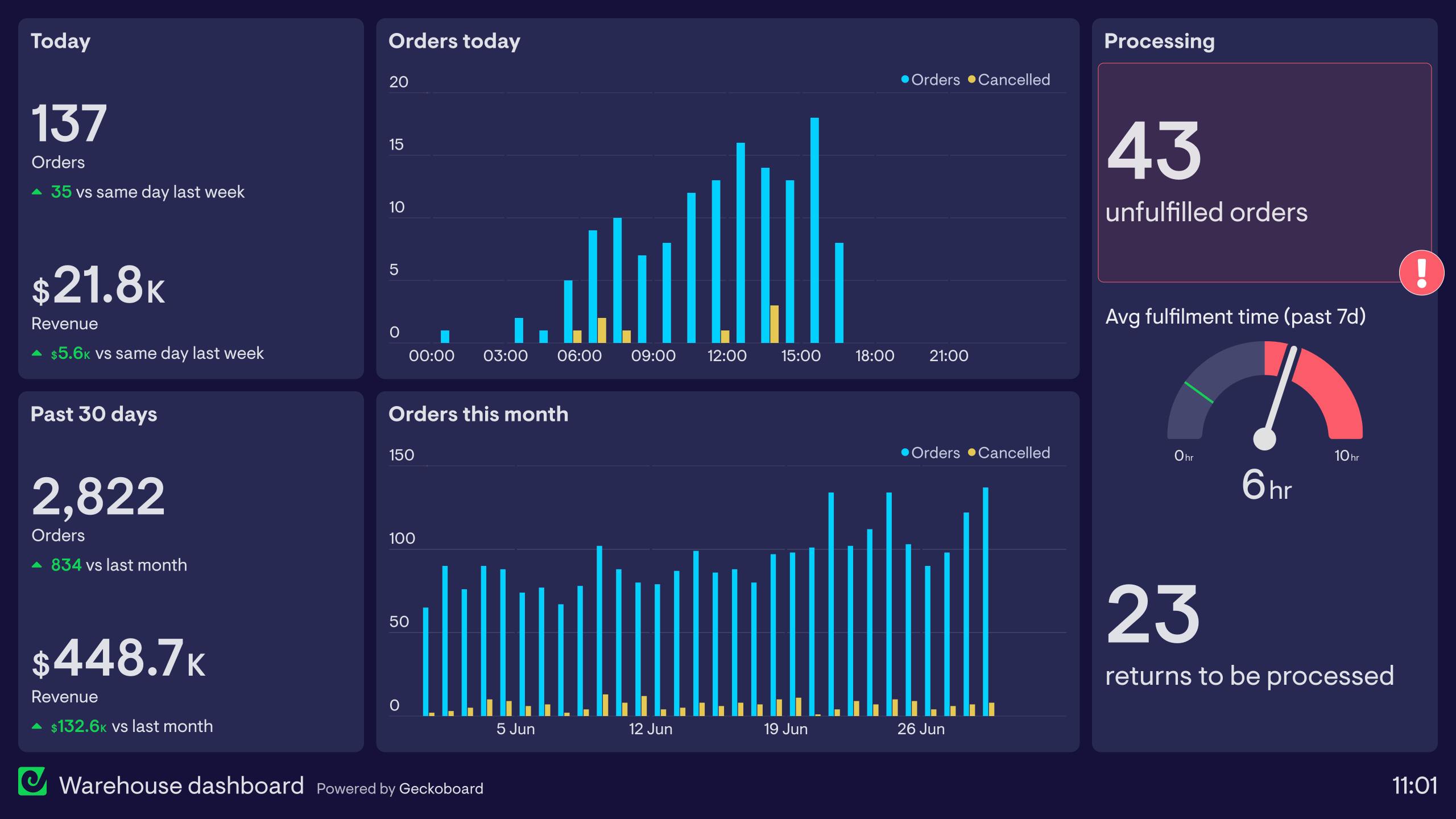
An inventory dashboard gives operations and ecommerce teams a live view of stock levels, product movement, and fulfilment status. It helps teams avoid stockouts and overstock situations by surfacing inventory data in real time — rather than relying on periodic stock checks or manual spreadsheet updates.
Geckoboard is a live dashboard tool that connects to Shopify, Salesforce, and spreadsheet data to give operations teams a real-time view of stock levels and order flow. It keeps inventory visible to the people who need it — from warehouse managers making replenishment decisions to sales staff answering customer questions.
Key metrics include units in stock, days of inventory remaining, sell-through rate, low stock alerts, purchase orders outstanding, and fulfilment rate. Ecommerce businesses often track these by SKU, category, or warehouse location.
Building a custom inventory dashboard is straightforward with Geckoboard's dashboard builder. Connect Shopify, Google Sheets, Salesforce, or SQL databases and custom data sources depending on where your inventory data lives, then pick your metrics and build the view you need. Share with your team as a TV dashboard, shared link, or scheduled snapshot. Start a free trial or learn more about how Geckoboard works.
Use it to monitor performance in real time so operations teams can act on a low-stock alert before it becomes a stockout that costs sales. It also helps bring data together from your ecommerce platform, warehouse system, and order management tools into one view of inventory health.